Racqt
Racqt
After the big club release in July comes the update that rounds off everyday club life: Racqt 1.5. Almost everything in it came from you, by email or in conversation — from committees who wanted to see their training times in the calendar, and from players who missed a reminder before a match. Here’s what’s new.
Recurring bookings are now in the calendar
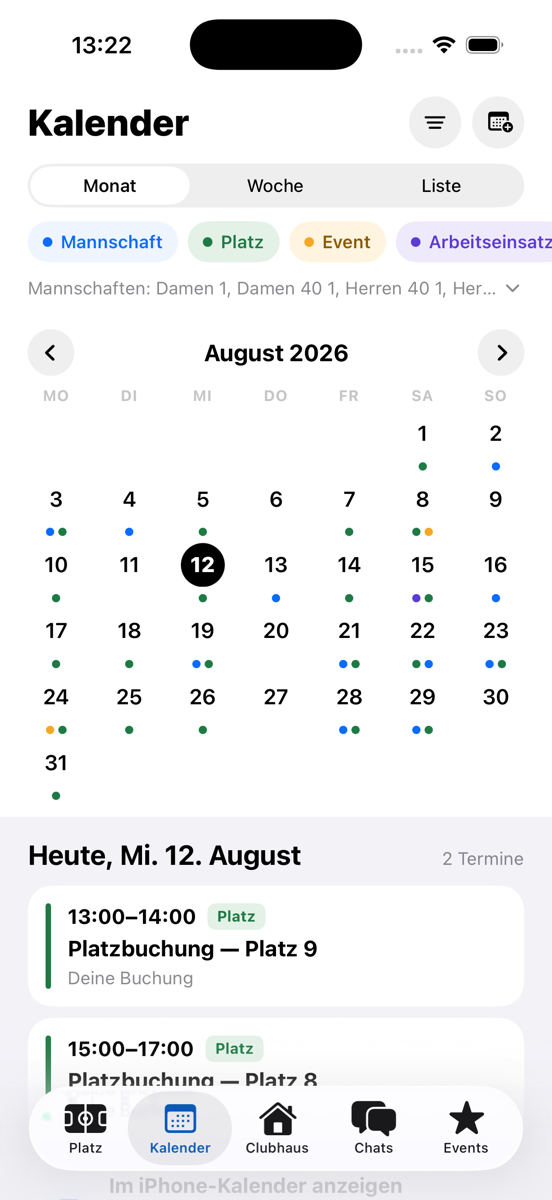
Weekly team training, the regular hour on Tuesday evening: anything set up as a recurring booking now appears with every single date in the court calendar. Everyone can see the court is taken at that time — and it stays reliably reserved for you.
If a recurring booking is cancelled, all future dates disappear from the calendar immediately too. The courts are available to everyone again at the same moment, without any follow-up work for the committee.
Two reminders — and one click if you can’t make it
Before every court booking, Racqt now gets in touch twice by email: once the day before and once about two hours before. That way no booking slips through any more, not even the one you made three weeks ago.
The best part is in the reminder the day before: if you can’t make it after all, you release your court with a single click straight from the email — without signing in, without opening the app. Others in the club can book it immediately. No court sits empty any more just because someone didn’t cancel.
Teams: confirm where the match is
You now report your availability directly in the match card — “Verfügbar” (Available), “Vielleicht” (Maybe) or “Nicht verfügbar” (Not available) with one tap, without a detour via another screen.
And once the fixtures for the second half of the season are set: with the new bulk reply you answer all open matches at once. Matches you’ve already answered individually stay unchanged — a deliberate decline is never lost.
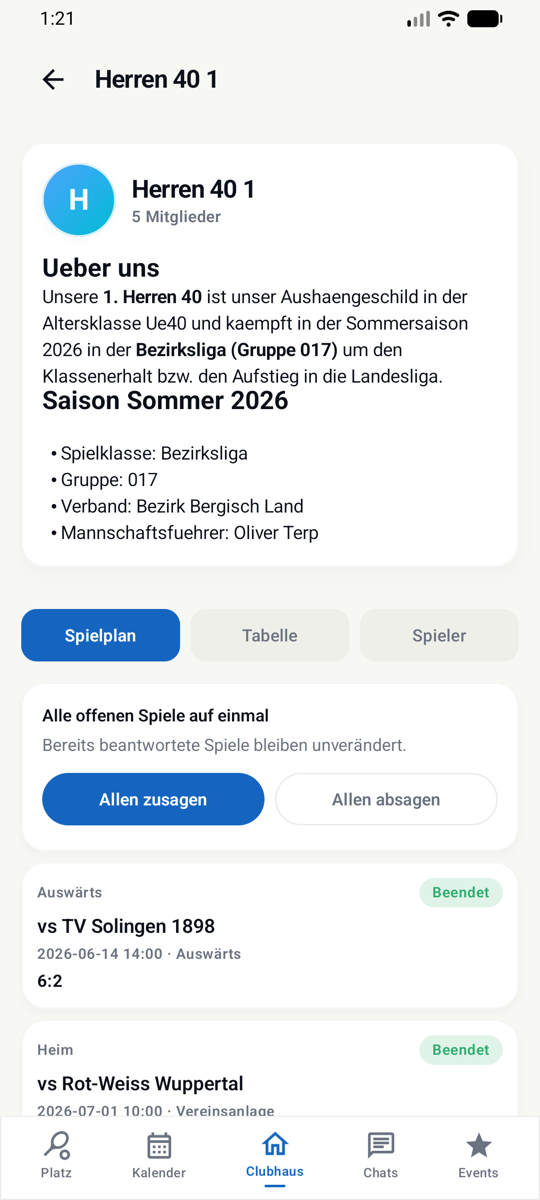
The team page now shows the same content everywhere as your club website — team photo, table, fixtures and players; neatly in three tabs in the apps, on one page in the portal. You can change your yes or no at any time for every upcoming match, and every match card shows at a glance how many from the team have already replied. Also new: for matches played you see all singles and doubles in detail — names, sets, winner — straight from nuLiga.
And the team chat simply belongs now: anyone who plays in a team is automatically in the chat — on iPhone, on Android and in the portal, filed under “Mein Verein” (My club) like the club chat. Ideal for sorting out lifts or agreeing the costs of a match day.
Maintaining teams — in one place
From now on, teams are created and maintained exclusively in the club dashboard: name, players and the link to the league. The apps still show teams in full — fixtures, table, squad and your own availability — but accidental changes on the go are ruled out.
You assign players directly from the member list. Anyone helping out from another club, for example in a joint team, is explicitly entered as a guest player.
And the fixture import from nuLiga runs cleanly again: league and cup matches end up as dates in the club calendar with one click — including the court blocks for your home matches. If the association changes something, you simply import again; the old dates are replaced instead of duplicated.
Lots of small things that make the day easier
- Free court bookings are done immediately: the question about the payment method only appears when there’s really something to pay — for floodlights or guest players, for example.
- Paid but can’t make it after all? If you release a paid booking via the link in the reminder email, you get your money back automatically — this also applies if your club has to cancel a date because of the weather.
- The nutrition page in the member portal is now complete: daily statistics, your meals and achievements such as the daily streak — just like in the apps. And even the snack shortly after midnight lands on the right day; the streak continues reliably.
- You stay signed in: if your session expires, Racqt renews it in the background instead of logging you out.
- The note field when booking is no longer covered by the keyboard on iPhone and Android.
- The “Vorstand (erweitert)” (extended committee) role can be saved again, together with the membership category in one step. If a role doesn’t fit, Racqt now explains clearly why.
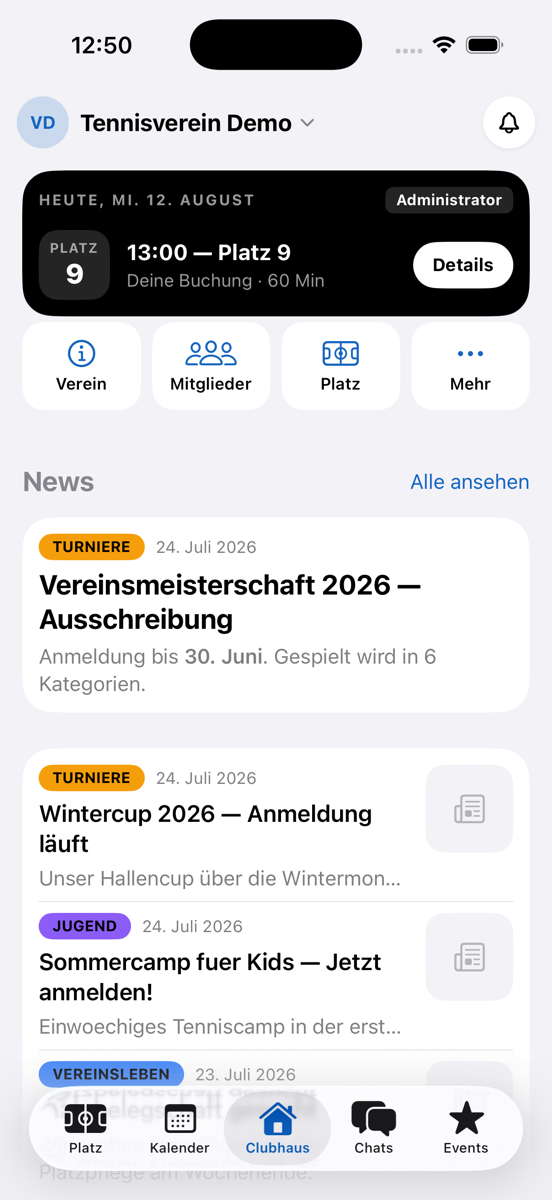
- Images from your club news now also appear in the iPhone app — as do profile pictures, team logos and images in events.
- The short description of your news is displayed cleanly everywhere: highlights stay bold, technical characters no longer appear — on the club website, in the dashboard and in both apps.
When does it start?
Racqt 1.5 is ready to go and will be rolled out over the next few days — automatically for everyone on the web, with the apps following via the App Store and Google Play. All points in detail are in the changelog, and you’ll find step-by-step guides in the help centre.
Keep telling us what’s missing in your club life — that’s exactly where these updates come from. Here’s to a good second half of the season! 🎾