 Racqt
RacqtComing soon iOSAndroid
My Club mode
Focus the iPhone and Android app entirely on your club – with court booking, calendar, clubhouse, chats and events in one place, in your club’s colours.
Not released yet. This feature belongs to version 1.4.0, 1.6.0, 1.7.0 and will be available shortly. To the changelog
On this page
If you mainly use Racqt for your club, you can focus the iPhone and Android app entirely on it: My Club mode (“Mein-Verein-Modus”) puts everything that belongs to your club front and centre – tidy and in your club’s colours. The full Racqt world is only one tap away. The app is in German; we name the German labels.
How to switch
If you’re a member of a club, the app asks you once after signing in how you’d like to use it: “Mein Verein” (My club) or “Ganz Racqt” (All of Racqt).
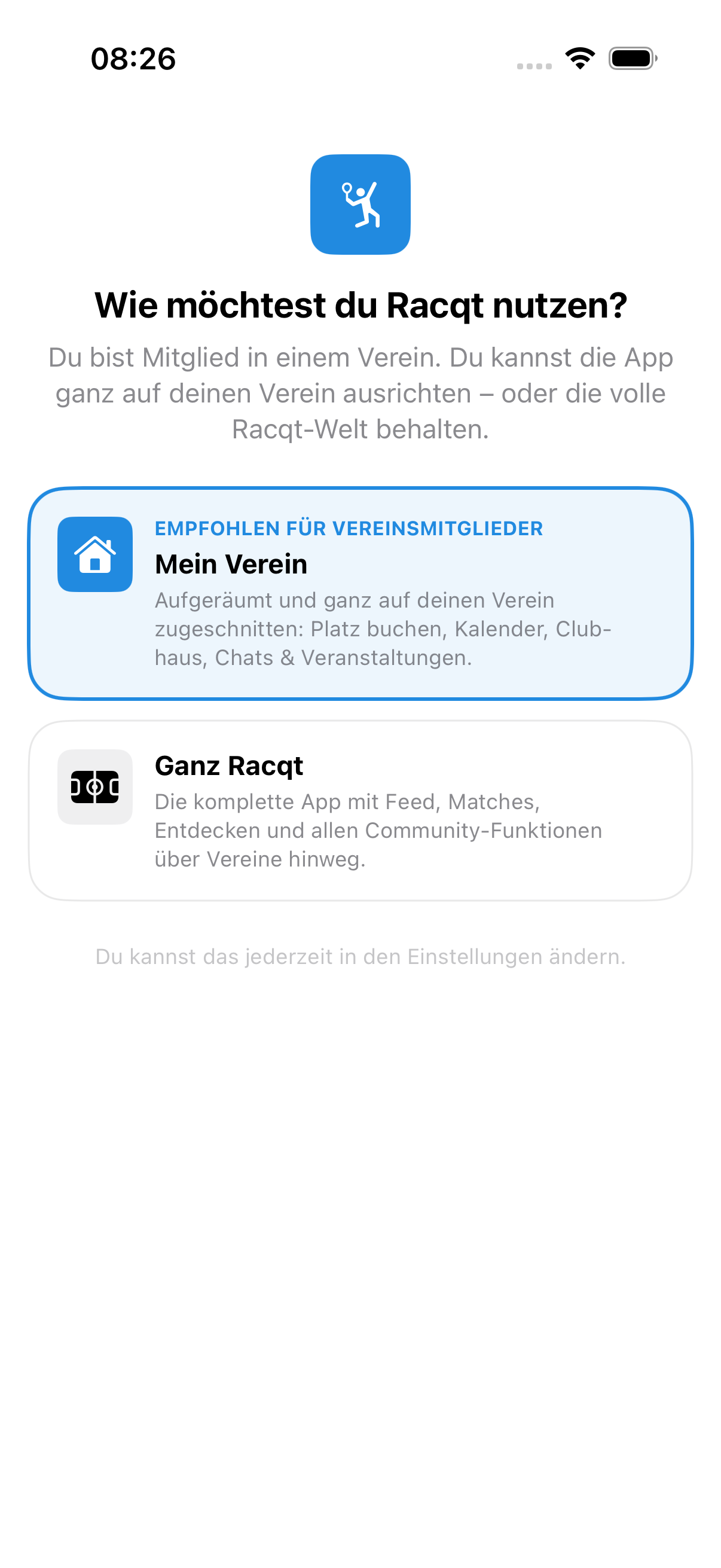
You can change your choice at any time: under Profil › Einstellungen › Verein (Profile › Settings › Club), flip the “Mein-Verein-Modus” switch. The app remembers your decision, and it applies on all your devices.
Everything in one place
In club mode the bottom navigation is entirely about your club: court booking, calendar, the clubhouse, chats and events – all relating to your club.
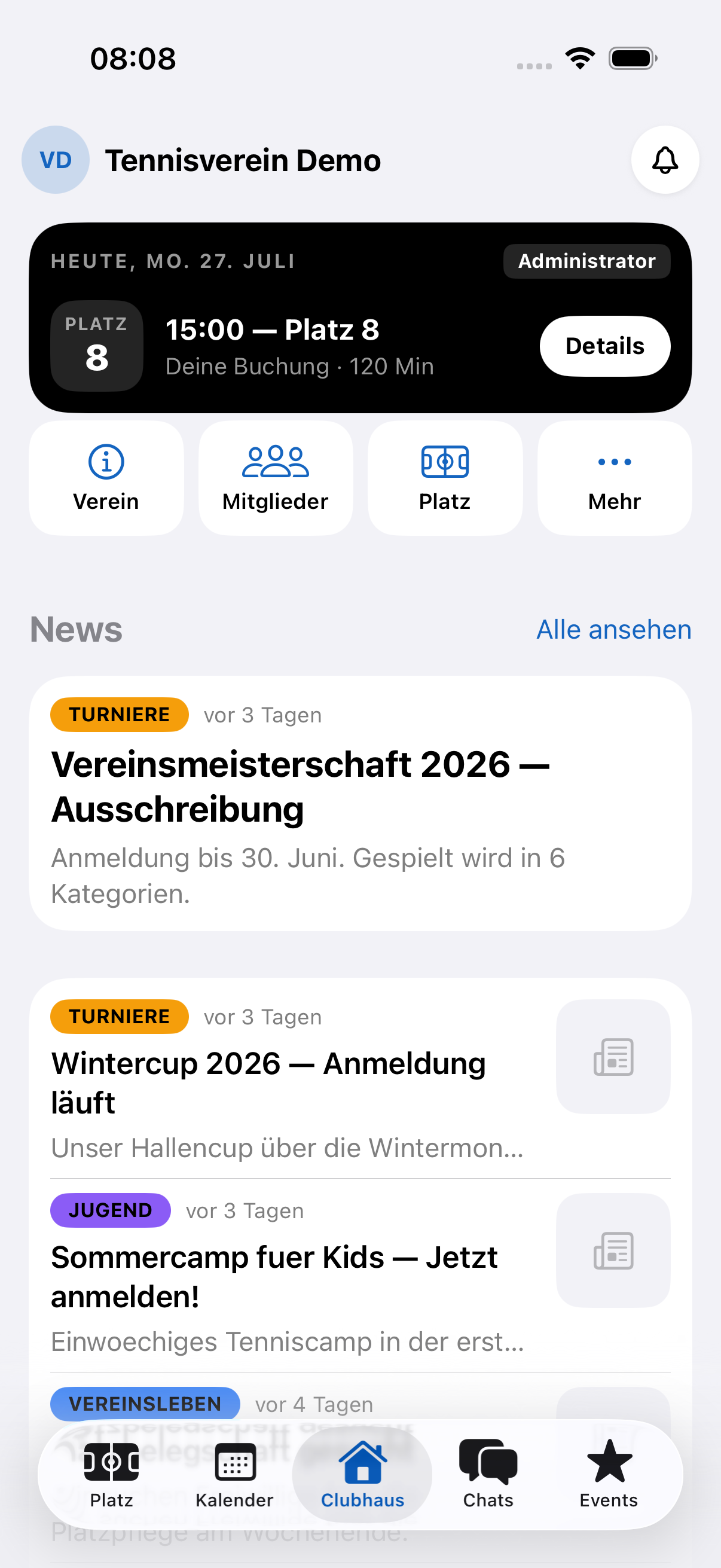
In the middle is the clubhouse (“Clubhaus”), the heart of it: at the very top, the “Heute” (Today) card tells you what’s coming up for you — today’s court booking or the next event, and whether a payment is still open. Below are four shortcuts (club · members · court · more) and your club’s news with a large lead story and compact rows. Via the bell at the top right you can reach your notifications at any time.
Behind “Mehr” (More) your profile card starts with your rating, teams and registrations at a glance; all areas below show live what’s coming up — open bookings, payments or your volunteer hours. Signing out is now clearly separated at the very bottom.
New in the settings under “Mehr”: Darstellung (Appearance). Choose between System, Hell (light) and Dunkel (dark) — the app switches immediately and remembers your choice. With “System” it automatically follows your device’s setting.
Reading news
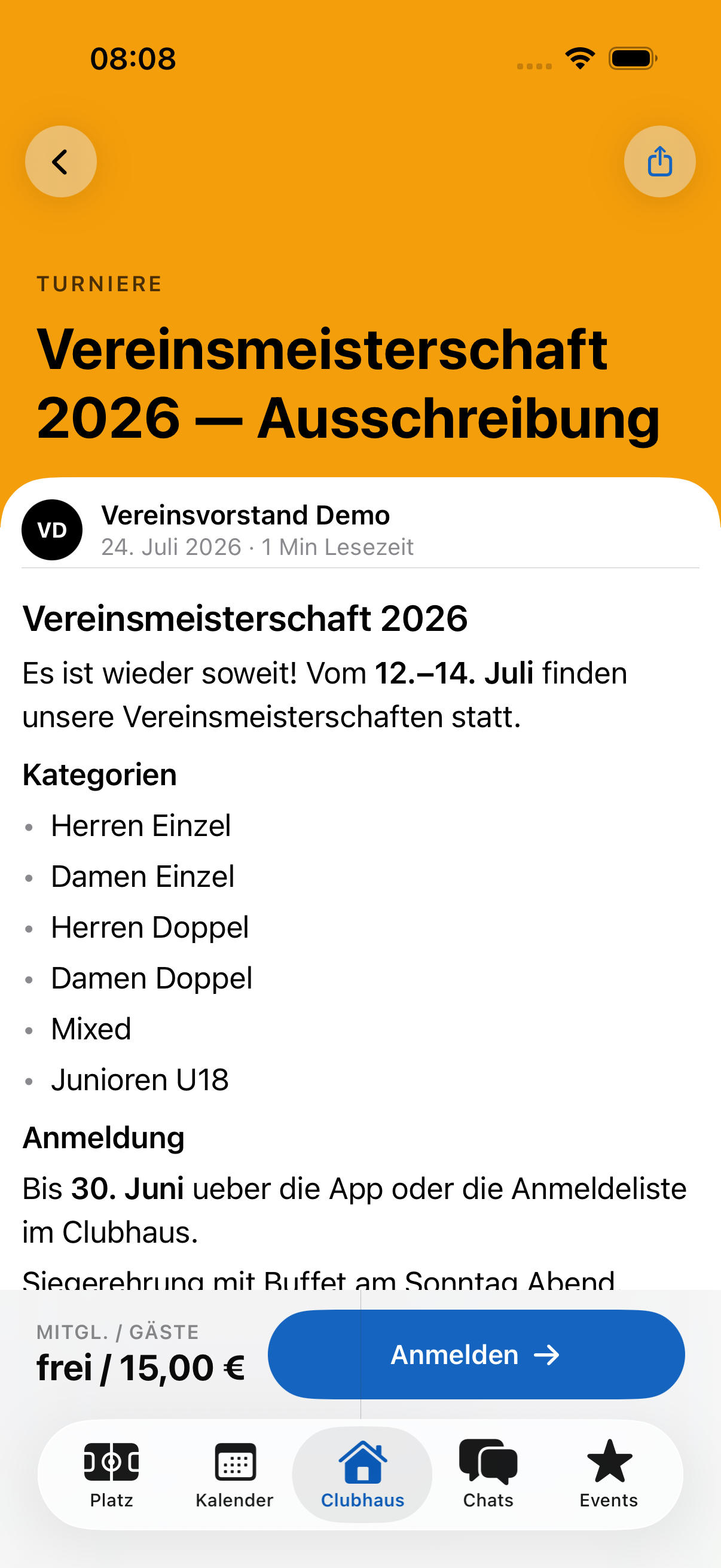
Simply tap a news item – it opens as a full article with image, category, date and nicely formatted text. Via “Alle ansehen” (See all) you reach the complete list of your club’s news; every article is just one tap away from there too.
In your club’s colours
In club mode the app takes on your club’s colour and logo – so it feels like “your club’s app”. Everything stays easy to read, whether your club has a light or dark colour and whether you use the app in light or dark mode.
Several clubs? No problem
If you’re a member of several clubs, tap the club switcher at the top and switch with one tap. The switcher shows every club with its logo or initials in the club colour and your role; your active club is clearly marked, and red badges show where unread messages are waiting. The app changes colour immediately and shows the content of the chosen club.
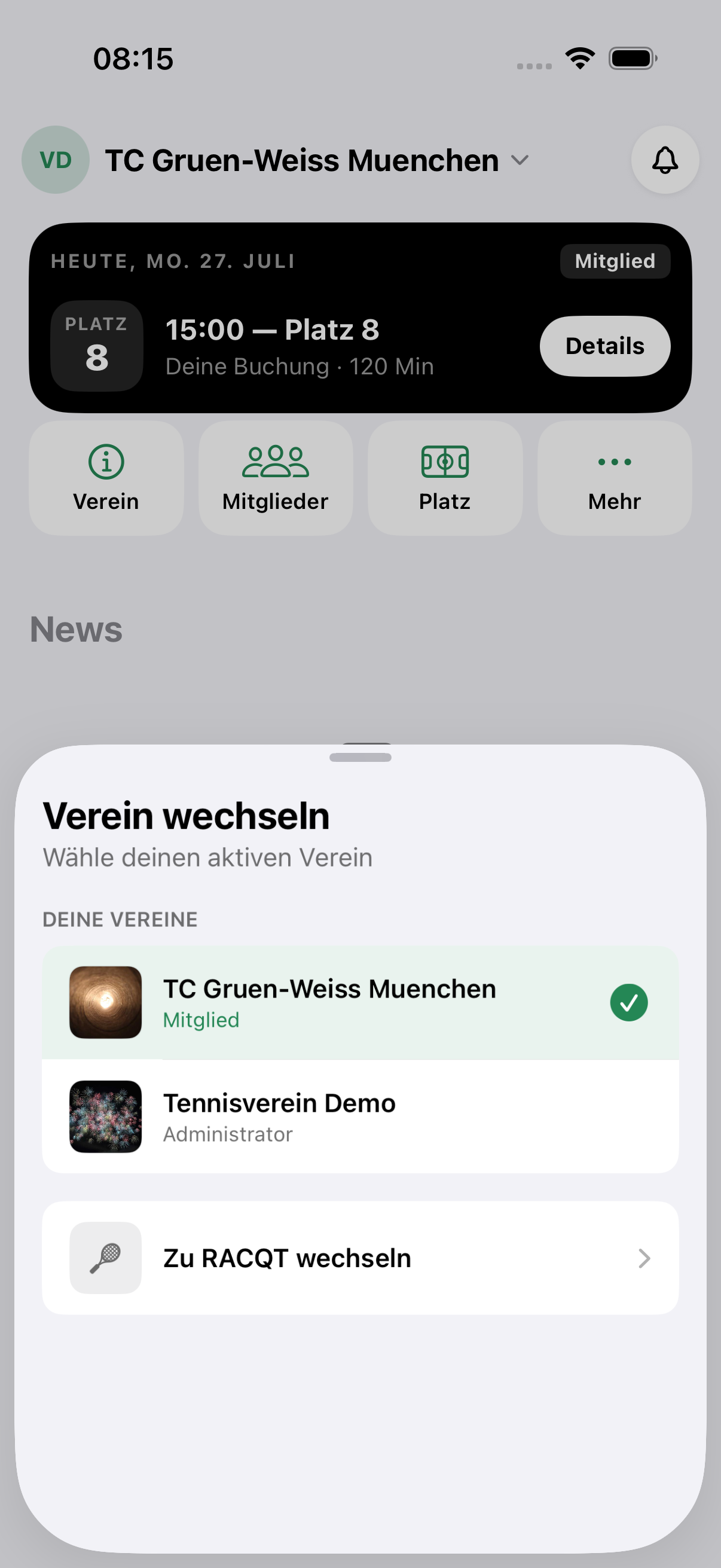
The same way, “Zu RACQT wechseln” (Switch to RACQT) quickly takes you back to the full Racqt view.
When a club is no longer active
If a club is no longer active, it appears neither in the club switcher nor under “Meine Vereine” (My clubs) – you only see clubs you can actually open. If exactly that club was your active one, the app switches by itself to your next club. If you’re not a member of any other club, you land in the normal Racqt view.
The same applies when your membership ends. The app then tells you briefly and clearly what’s happened – such as “Du bist kein Mitglied dieses Vereins (mehr).” (You’re no longer a member of this club.) or “Dieser Verein ist nicht mehr aktiv.” (This club is no longer active.) –, reloads your clubs and takes you where things continue for you.
So that you don’t miss such changes, the app also reloads your clubs when you bring it back from the background. No restart is needed.
Your calendar
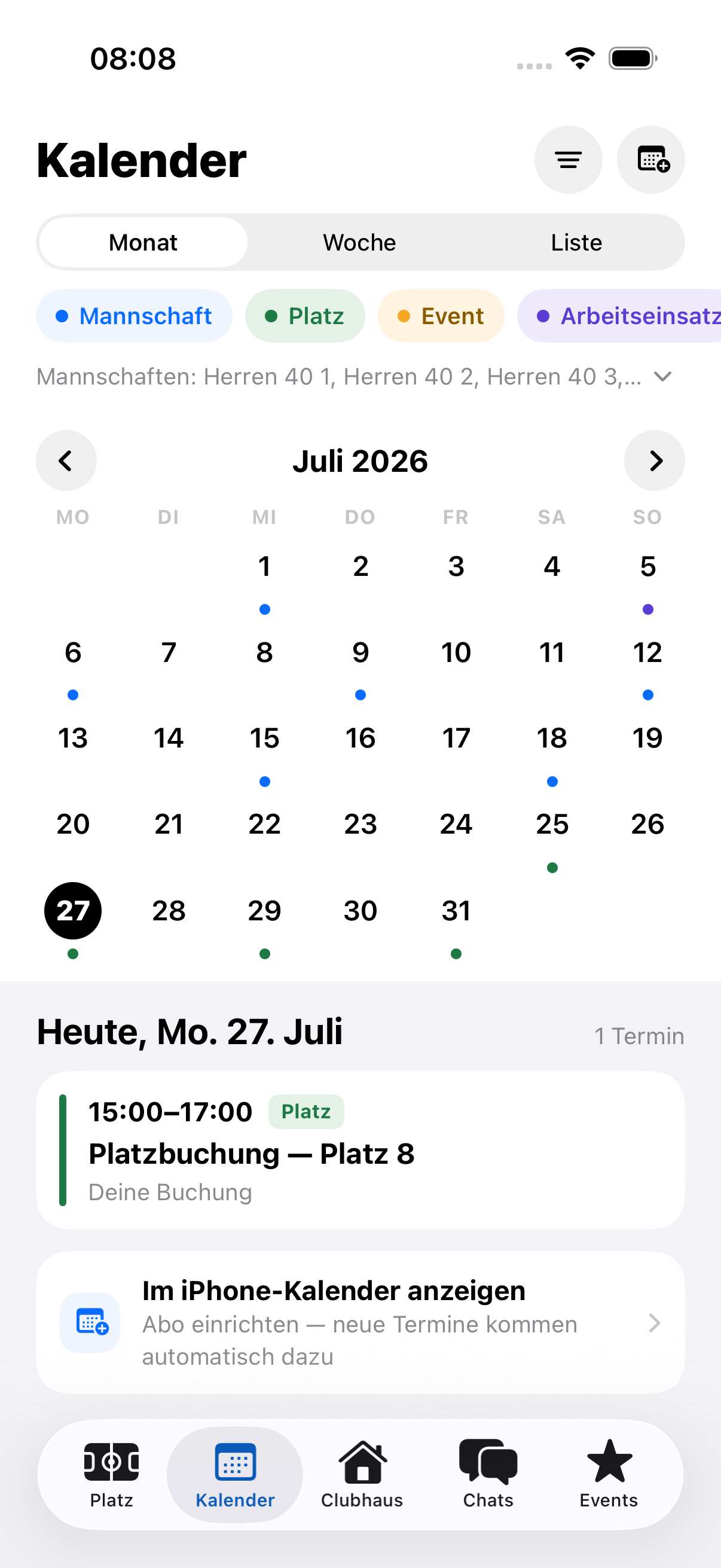
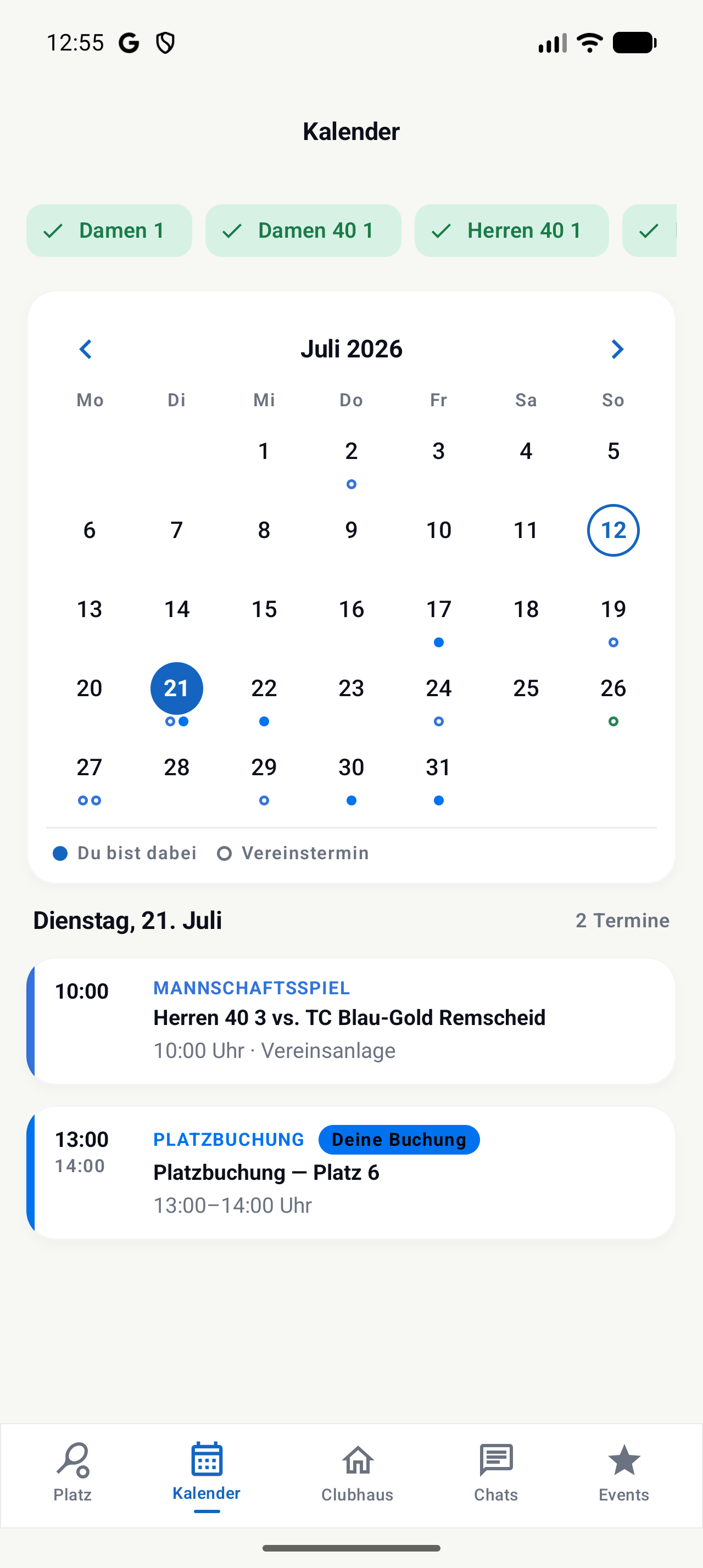
The calendar shows all of club life and gives you the choice of three views: the month view with coloured dots per day, the week view with a timeline of your day and the list view with all upcoming dates from today.
The colour legend above the calendar explains the dots and filters at the same time: team matches are blue, court bookings green, events orange and work sessions violet. Tap a colour to hide and show the category. Below the month view you always see the daily schedule for the selected day — with time, place and what you want to know, such as “Deine Buchung” (Your booking) or “Aufgestellt” (In the line-up).
Lots of teams at your club? Via the “Mannschaften: …” (Teams) row (or the filter button at the top right) you hide and show individual teams’ fixtures with one tap.
Also new is the calendar subscription: with one tap on “Im iPhone-Kalender anzeigen” (Show in iPhone calendar) or “Im Google Kalender anzeigen” (Show in Google Calendar) you set up a subscription — your club dates then appear automatically in your calendar app, and new dates are added by themselves.
Your chats
Your chats are focused on the club too: the conversations of your active club are at the very top. Your other personal chats are of course kept – so you don’t miss a message.
Cancelling your membership
If you want to leave your club, you cancel right in the app: open your club’s page and under Mitglied (Member) tap Mitgliedschaft kündigen (Cancel membership). Racqt shows you your club’s notice period beforehand – such as “3 Monate zum Jahresende” (3 months to the end of the year) – and the date on which your leaving takes effect. You can give a reason but don’t have to.
Your cancellation goes to the committee as a request. Until they decide, you can take it back with Kündigung zurückziehen (Withdraw cancellation). If they confirm it, you get a notification with your leaving date. Until then you remain a member as normal: you keep playing and booking, and the fee for the current period remains due. If the committee has a query, they decline the request and tell you why – your membership then continues unchanged.
Back to the full Racqt world
Want to see everything again – feed, Discover, matches across clubs? Simply switch back to “Ganz Racqt” in the settings. Nothing is lost; you only change the view.