Racqt
RacqtComing soon WebiOSAndroid
Volunteer hours
See your volunteer hours progress, deadline and compensation payment, use extra hours and sign up for work sessions.
Not released yet. This feature belongs to version 1.4.0, 1.7.0 and will be available shortly. To the changelog
On this page
Many clubs require their members to do a minimum number of volunteer hours (“Arbeitsstunden”) per year. In the portal you see at a glance how many hours you’ve already done and can sign up for upcoming work sessions.
Annual overview
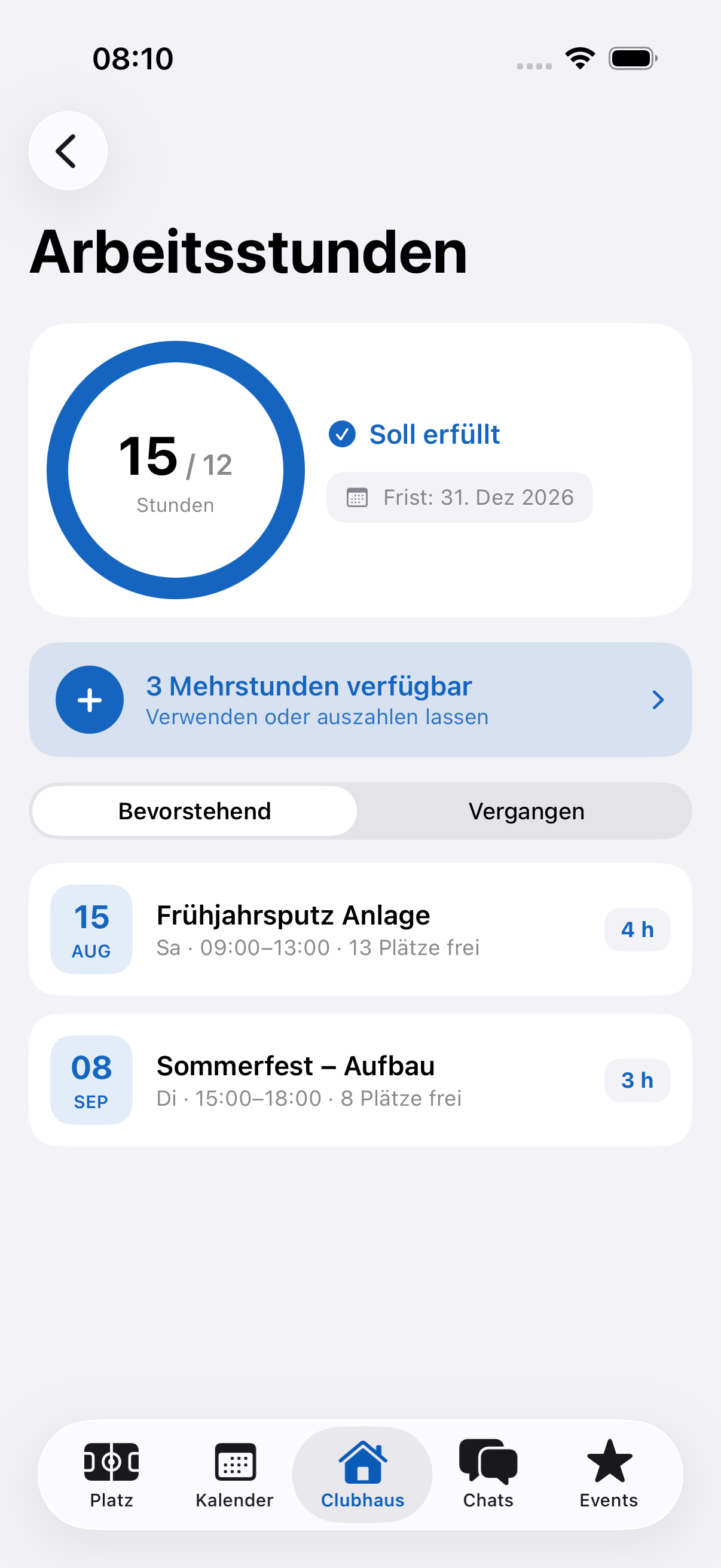
At the top of the page, a progress ring shows the hours you’ve done relative to the club’s annual target — for example “8 / 12 Stunden” (8 / 12 hours). Next to it you see how many hours are still open and by when they have to be done (your club’s deadline). The overview also shows the period for which your hours count.
Compensation payment
If your club has set a compensation rate, you can tap “noch offen” (still open): a window shows you transparently what happens if you don’t manage the open hours — open hours, rate per hour and the total amount, due at the deadline. The amount is then conveniently collected by the club by SEPA direct debit; you don’t have to do anything else.
Using extra hours
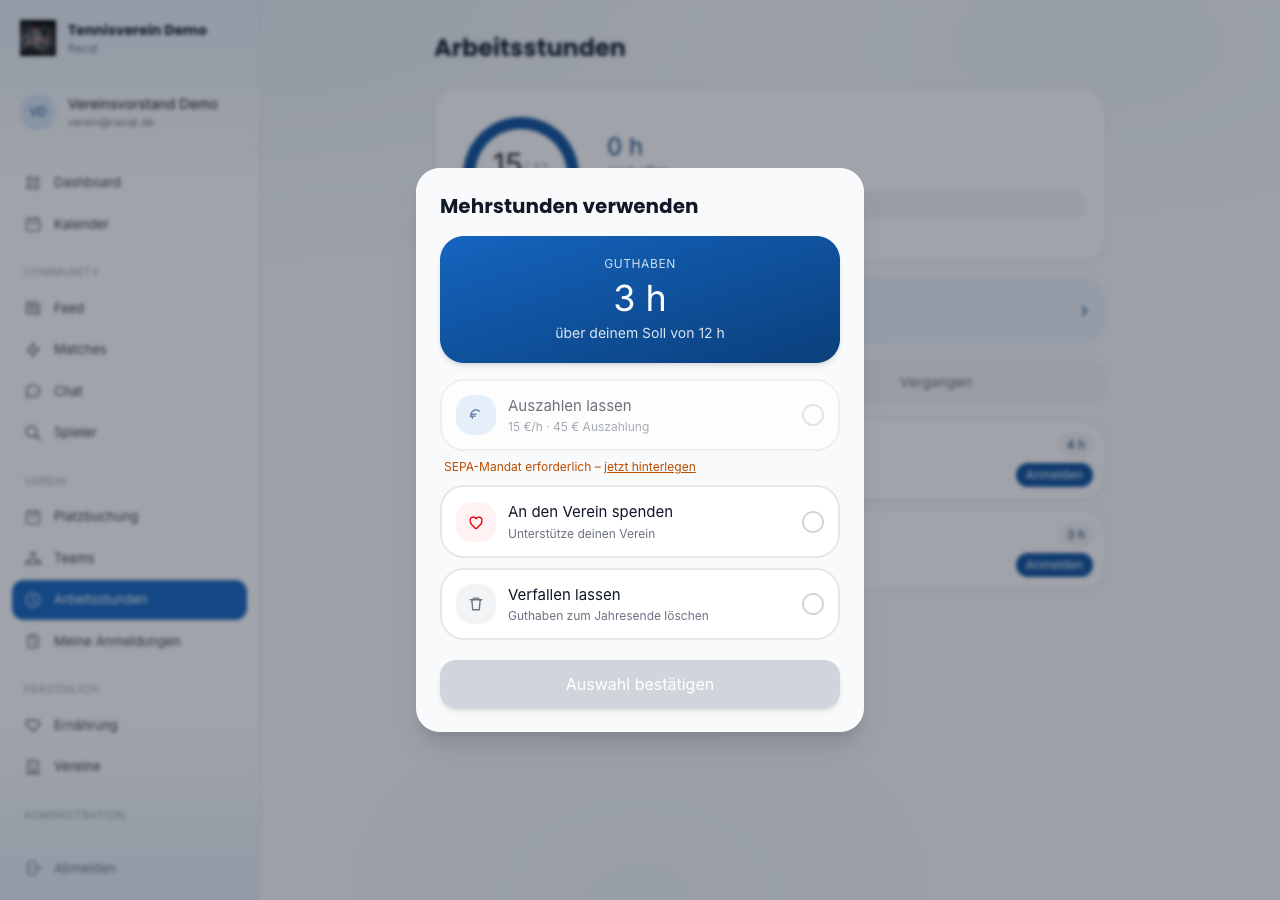
If you’ve done more hours than needed, a banner with your balance appears. You decide yourself what happens to it. Your club sets which options it allows:
- Auszahlen lassen (Have it paid out) — your club transfers the balance to you at the rate per extra hour (for this you need an active SEPA mandate).
- Schenkung an den Verein (Donation to the club) — you support your club with your extra hours.
A donation never applies by itself: you have to choose it yourself. If you choose nothing and your club has made payout the default, your extra hours are paid out; without a default they remain open. In the “Meine Stunden” (My hours) card in the portal you see what happens to your extra hours and whether it’s your choice or the club default. Extra hours never expire.
After the cut-off date, the “Meine Stunden” card switches to the new period. The finished period stays visible as a separate card Vorperiode · noch nicht abgerechnet (Previous period · not yet settled) until your club has settled it (the card only appears if you have extra hours there); you can still choose how to use them there. After the settlement run the card disappears, and the use can no longer be changed for that period.
If your club doesn’t pay for extra hours, it can’t compensate them; then you don’t see a choice.
You can change your choice at any time until the annual settlement. After settlement you see the status and the amount settled.
Signing up for work sessions
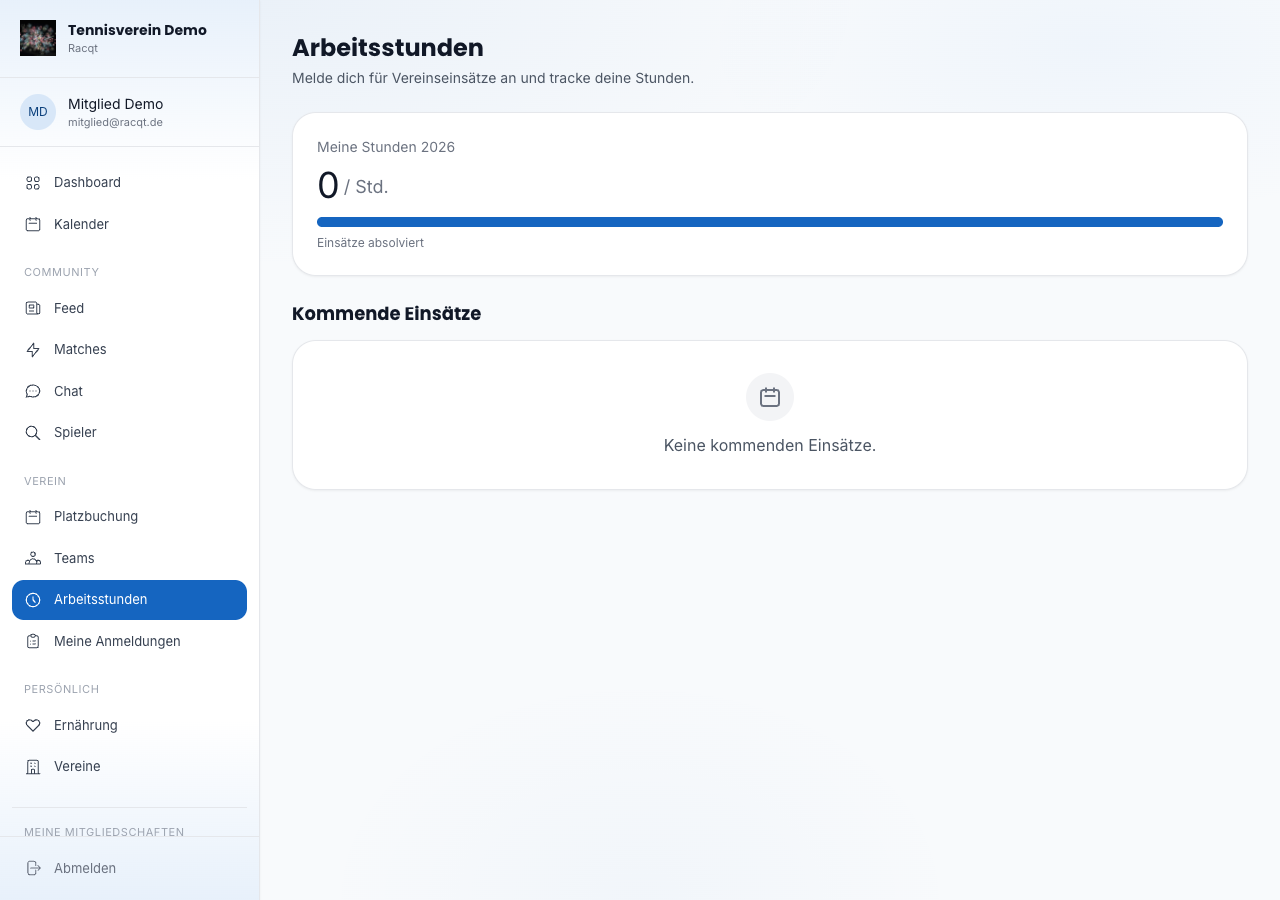
Below the annual overview you see all upcoming club work sessions with title, date, time, place and the current number of sign-ups. If there’s still room, click “Anmelden” (Sign up). The session then appears with a green “Angemeldet” (Signed up) badge.
If you signed up by mistake or can’t come after all, click “Abmelden” (Withdraw) to withdraw your participation.
Checking in on the day
On the day of the session you check in in the app — at the earliest one hour before it starts. If you share your location and are on site, the scheduled hours are credited to you automatically after the session ends. If the session is already over, check-in is only possible as a request.
Without sharing your location, or if you’re not at the work site, you can check in as a request. Then the committee confirms your hours. If they decline, you see the reason in the app.
Notifications
Your club and Racqt get in touch when you need to do something. You only get notifications with a Racqt account: in the app, as a push (if you’ve turned it on) and as an email to your Racqt account’s address. Every notification comes only once. In the iOS app in club mode, tapping the push opens the volunteer hours view.
- Extra hours done: you go above your target in a period for the first time, even if the committee corrects your hours afterwards. The notification only comes if your club has set a cut-off date, pays for extra hours and you haven’t chosen yet. It names your cut-off date; if the period is already over, it asks you to choose soon. It also tells you what happens without a choice: they’re paid out if your club has made payout the default, otherwise they’re not paid.
- 14 days to go: once, from 14 days before the cut-off date, Racqt reminds you if you have extra hours without your own choice (only if extra hours are paid) or if you’re short of hours and your club has set a compensation rate. If Racqt missed the day, for example because the cut-off date was set later, the reminder comes on a later day before the cut-off date; the title then says, for example, “Noch 5 Tage” (5 days to go). In the first case it says what happens without a choice, in the second the amount that will be due as compensation. You don’t get a reminder for periods that have already been settled.
- Payout pending: after the annual settlement, a SEPA mandate for your payout is missing. Store one, and the payment will be made.
In the apps
The complete volunteer hours view — progress ring, deadline, compensation payment, extra hours and signing up for sessions — is also available in the iOS and Android apps (in club mode or in the tennis area under “Arbeitsstunden”).