 Racqt
RacqtComing soon Web
Work sessions
Plan work sessions, credit hours, track how extra hours are used and create the annual settlement with SEPA files.
Not released yet. This feature belongs to version 1.4.0, 1.7.0 and will be available shortly. To the changelog
On this page
Many tennis clubs require their members to do a certain number of volunteer hours (“Arbeitsstunden”) per year. Racqt helps you plan work sessions (“Arbeitseinsätze”), assign members and keep track of the hours done.
Planning work sessions
Under Verwaltung › Arbeitsstunden (Administration › Volunteer hours) you’ll find all sessions at a glance. Each session has a status:
| Status | Meaning |
|---|---|
| Veröffentlicht (published) | The session is visible, members can sign up |
| Abgesagt (cancelled) | The session was cancelled |
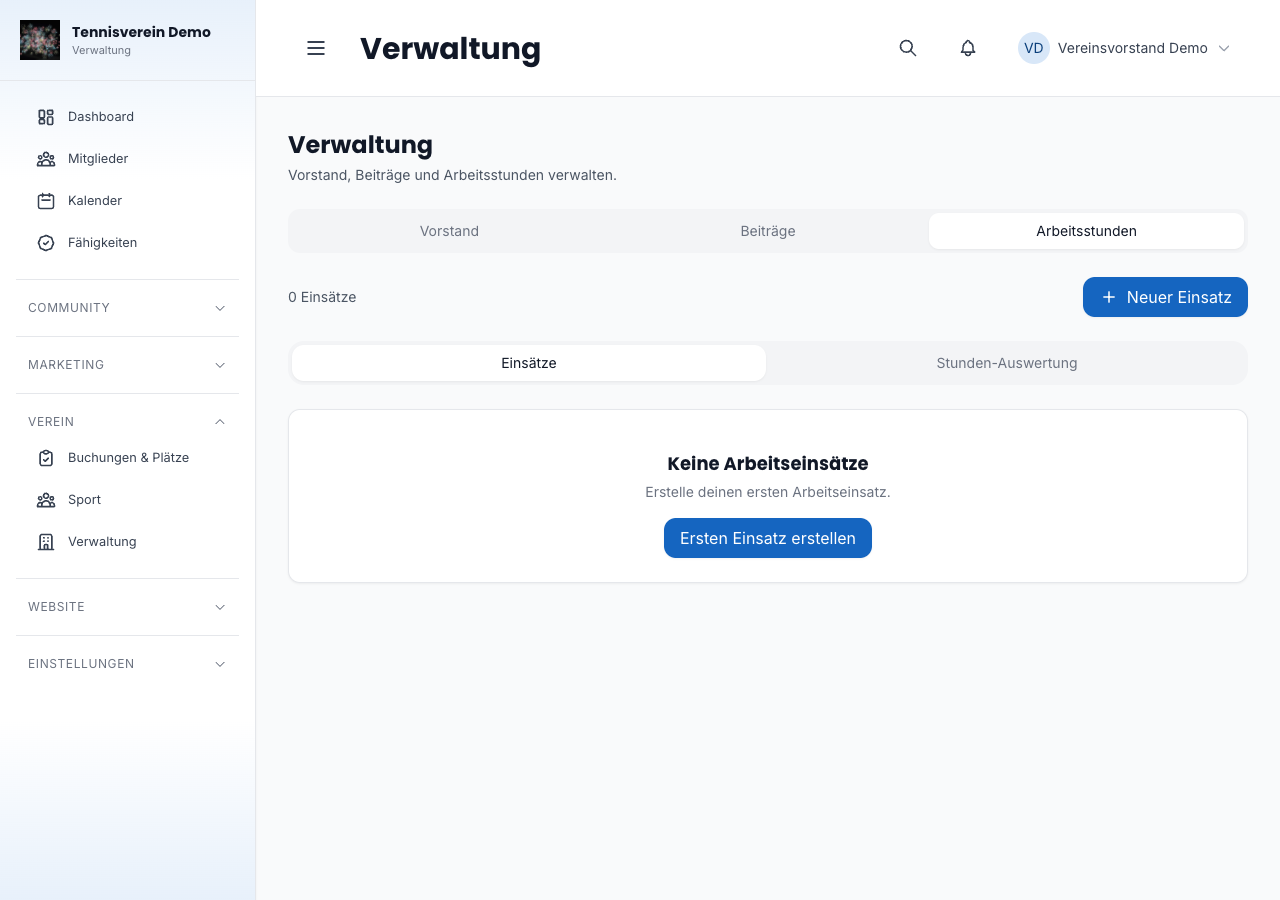
Creating a new session
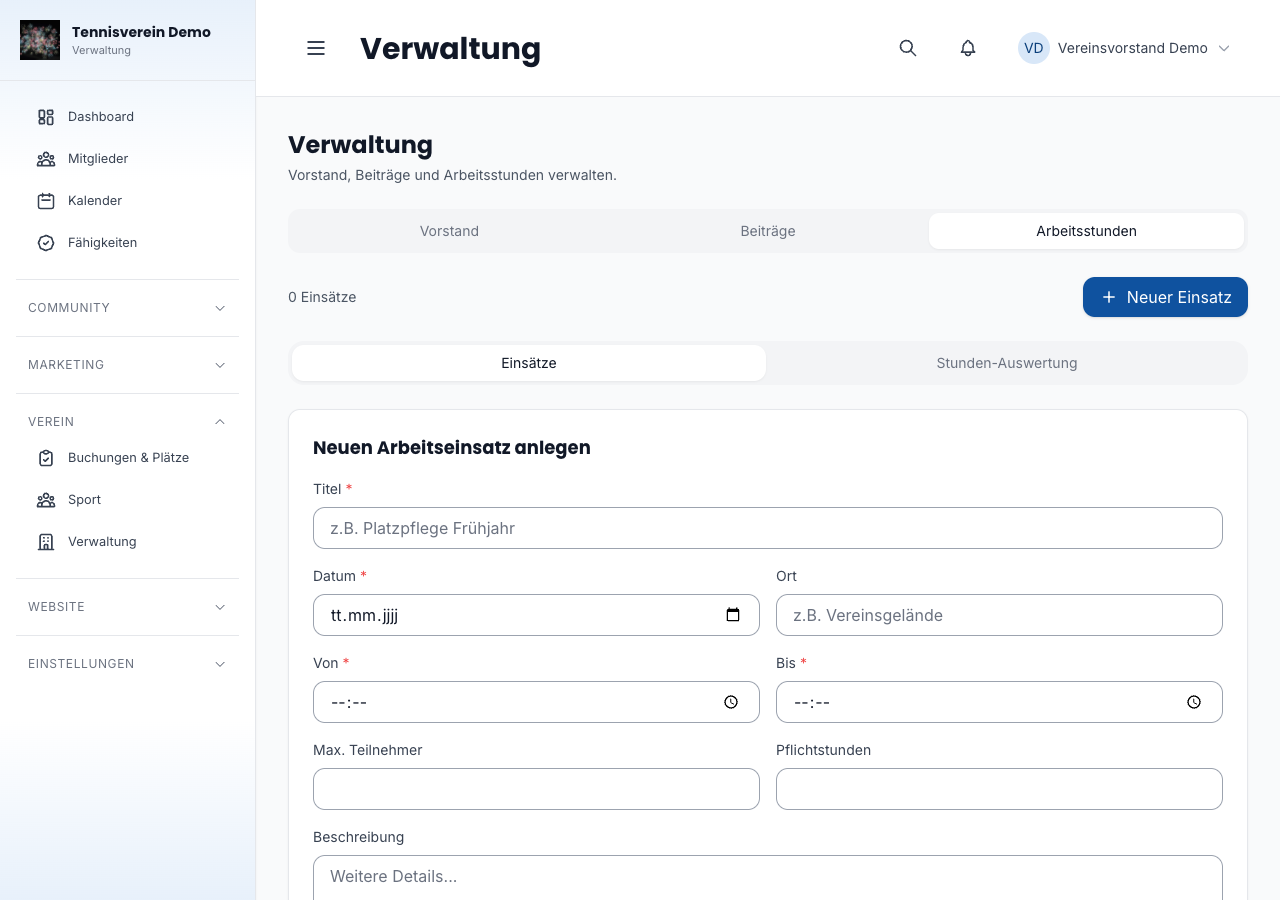
Click Neuer Einsatz (New session) to create a work session. Give it a title, enter date and time and optionally add a description.
Configuring required hours, deadline and compensation rate
In the settings you set these values:
- Pflichtstunden pro Jahr (required hours per year) — the target for each member.
- Stichtag (cut-off date) — by when the hours must be done. You choose day and month; without an entry, 31 December applies.
- Arbeitsstunden-Pflicht gilt ab (obligation applies from) — from when the obligation exists. When you first save the required hours, Racqt automatically sets the date to today; you can change it but not put it in the future.
- Ausgleichssatz je fehlender Stunde (€) (compensation rate per missing hour) — the basis for compensation payments for open hours.
- Mehrstunden vergüten (pay for extra hours) — a switch to turn on payment for extra hours, together with the Satz je Mehrstunde (€) (rate per extra hour), the allowed options (payout, donation to the club) and, if you like, payout as the default for members without their own choice.
The cut-off date defines the period in which hours count. If you choose 30 September, for example, each period runs from 1 October to 30 September of the following year. 29 February isn’t possible as a cut-off date because it doesn’t exist every year. You can settle as soon as the period is over and no check-ins or requests are still open.
Start date of the obligation
If you introduce volunteer hours mid-year, every member would otherwise pay the full target as compensation for a period that ended before the introduction. That’s why Racqt doesn’t settle a period that ends before the start date: it has no previous period and no switch. If there’s also no previously settled period, the Abrechnung (Settlement) tab says instead of “Keine Periode abzurechnen” (No period to settle): “Die Arbeitsstunden-Pflicht gilt erst ab TT.MM.JJJJ – die Periode bis TT.MM.JJJJ wird nicht abgerechnet.” (The obligation only applies from DD.MM.YYYY – the period up to DD.MM.YYYY isn’t settled.) If the period starts before the start date and ends after it, the preview shows the note “Die Pflicht gilt erst seit TT.MM.JJJJ; das Soll wird trotzdem voll angesetzt.” (The obligation only applies from DD.MM.YYYY; the full target is still applied.) It doesn’t block the settlement – the target isn’t reduced pro rata. If you clear the date, the obligation applies without restriction.
As long as no number of required hours is stored, a corresponding note with a link to the settings appears in the hours evaluation.
Compensation and paying for extra hours
You maintain two rates: the compensation rate for missing hours and, if you turn on the Mehrstunden vergüten switch, a rate per extra hour. If you leave the extra hours rate empty, the compensation rate applies. With the switch off, there’s no choice for extra hours; they aren’t paid.
As soon as you turn on the switch, you set which options your members may choose: Auszahlung (payout), Schenkung an den Verein (donation to the club) or both. At least one option must be allowed. You can also set payout as the default for members without their own choice (tick “Mitglieder ohne eigene Wahl bekommen ihre Mehrstunden ausgezahlt” — members without their own choice get their extra hours paid out); this is only possible if payout is allowed. A donation can never be the default: every member must choose it themselves. Announce the default to your members beforehand. Without a default, the extra hours of members without their own choice remain open; nothing happens for them in the settlement run. Extra hours no longer expire: anyone who doesn’t want them paid out donates them to the club.
If you switch payment off again while members have already chosen an option, the setting points this out. These choices are closed without an amount in the next settlement run. Your selection of options and the default are kept and apply again when you turn payment back on.
The legal notes are right next to the settings. In short: a compensation payment needs a basis in the statutes or fee schedule and isn’t a donation. You set payment for extra hours before the activity begins; for committee members it needs an explicit provision in the statutes. This isn’t legal or tax advice. Please have your arrangement checked by your tax adviser.
Crediting hours
You confirm requests without location confirmation in the Freigaben (Approvals) tab (see below). On a session’s detail page (click the title in the session list) you see all participants. There you credit hours, change them or reject a participation with a reason — until the period’s settlement run. After that, participations are locked.
Approving check-in requests
Members check in at the session with the app. Normally location confirms the check-in automatically. A request arises when that doesn’t work: when no location is available or the member checks in outside the radius around the work site. Such requests land in the Freigaben tab (the number in brackets shows how many are open).
Check-ins with GPS confirmation don’t appear here — they’re credited automatically with the scheduled hours after the session ends. Requests from a year that has already been settled no longer appear in the list because they can no longer be confirmed. You correct deviations (for example someone left early) in the participant list on the session’s detail page.
For each request you see member, session, date and the distance to the work site. You have three options:
- Confirm individually: the hours are prefilled with the session’s scheduled hours and can be adjusted before confirming.
- Confirm in bulk: select several requests (or Alle auswählen, select all) and confirm them with one click with the scheduled hours.
- Decline: give a reason. The member sees this reason in the app; the participation then counts as “Nicht anerkannt” (Not accepted).
Notifications about volunteer hours
Racqt informs the committee and members by itself. Each notification comes as a notification in the app, as a push (if the member has turned it on) and as an email to the Racqt account’s address. Members without a Racqt account get no notifications. Each notification is sent only once.
What the committee gets. Recipients are everyone allowed to work in the Veranstaltungen/Events area, i.e. the people who can also approve requests:
- New check-in request: a member checked in without location confirmation. You get one note per session and day (not if you made the request yourself) and confirm or decline the request under Approving check-in requests (see above).
- Payout pending: after the settlement run, a member is missing the SEPA mandate for the payout. You learn to whom and how much.
What members get:
- Extra hours done: as soon as a member goes above the target for the first time in a period, even if you correct hours afterwards. The notification only comes if you’ve set a cut-off date, pay for extra hours and the member hasn’t chosen yet. It names the cut-off date; if the period is already over, it asks them to choose soon. It also says what happens without a choice: with payout as the default, the extra hours are paid out, otherwise they’re not paid.
- 14 days to go: every day at 8:00, Racqt checks whether a cut-off date is at most 14 days away. It then reminds, once, members with extra hours without their own choice (only if payment is on) and members with missing hours (only if a compensation rate is stored and the amount is above €0). If the day was missed, for example because you set the cut-off date later, the reminder comes on a later day before the cut-off date; the title then reads, for example, “Noch 5 Tage” (5 days to go). There’s no reminder for periods before the obligation’s start date or for periods already settled. The reminder about extra hours says what happens without a choice; the one about missing hours names the compensation amount.
- Payout pending: if the SEPA mandate for the payout is missing, the member also gets a note to store a mandate. Then the payment is made later.
The reminder before the cut-off date is your safeguard for members who haven’t chosen: they learn in time what will otherwise apply. In the iOS app in club mode, tapping the push opens the volunteer hours view.
Hours evaluation
The Stunden-Auswertung (Hours evaluation) tab names the period for which the hours count at the top. Three tiles summarise: total number of members, number who have met the obligation and number with hours still open.
Below, a table lists all members with the sessions completed, the hours done and open, a progress bar and the status (Erfüllt/met or Offen/open). The table doesn’t show which use a member has chosen for their extra hours; without their own choice, payout applies in the settlement run if you’ve set it as the default.
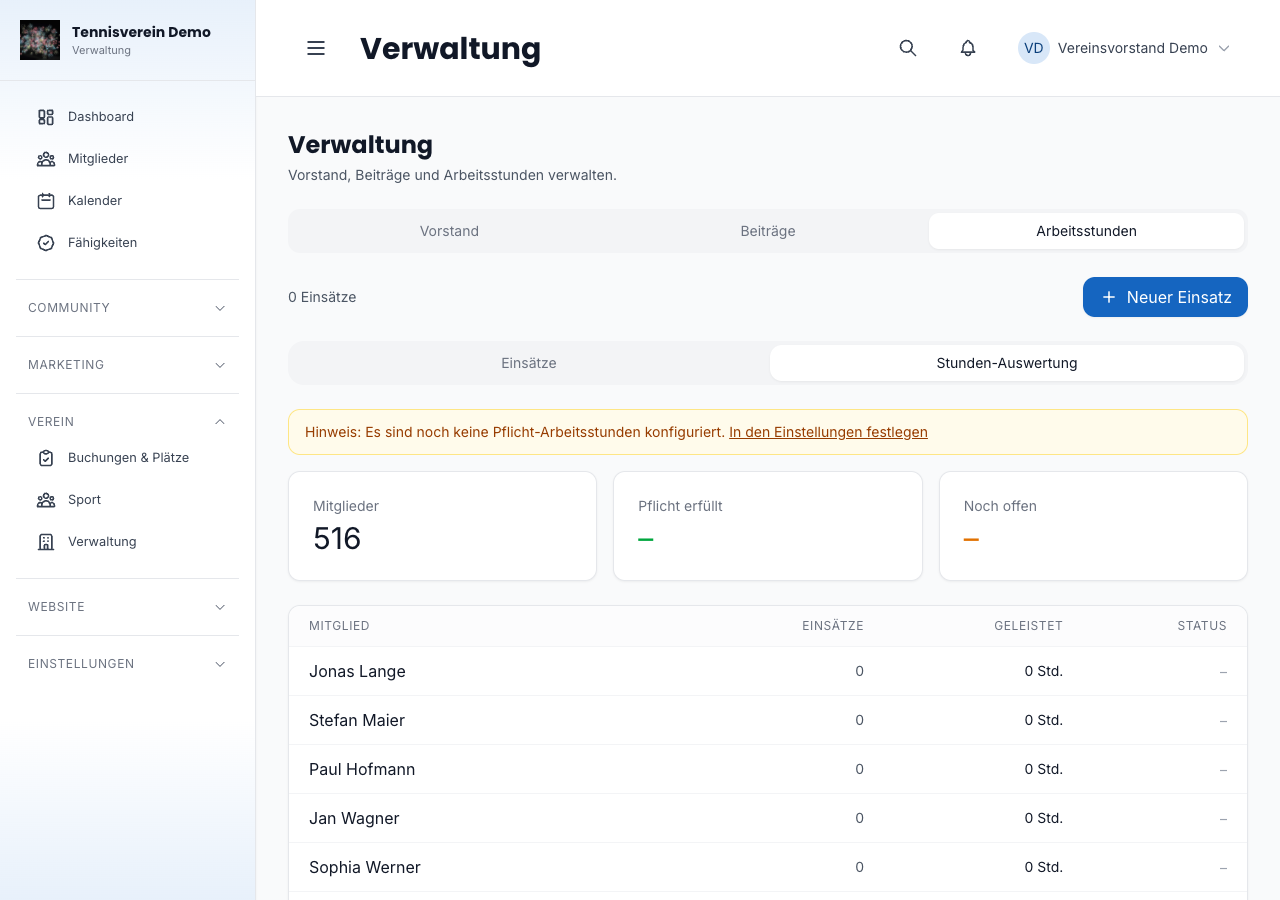
After the cut-off date, the evaluation first shows the new period. As long as the finished period hasn’t been settled, you switch to its hours with the Laufende Periode / Vorperiode (nicht abgerechnet) (Current period / Previous period, not settled) switch. As soon as the settlement run for the period has run, the previous period disappears, and members can no longer change how their extra hours are used for that period.
Annual settlement & SEPA files
After the cut-off date you settle the finished period in the Abrechnung (Settlement) tab (once per period). Only the most recently finished period can be settled, as long as it hasn’t been settled yet; the tab only shows older periods with their run. The tab first shows a preview. On start, the run checks that nothing has changed since the preview — if, for example, a member has chosen their use in the meantime, it asks you to check the preview again and reloads it.
At the top, the preview summarises the totals: compensation claims, payouts and donations. Below, it says per member what the run does:
- Compensation: members with open hours get a claim (open hours × compensation rate). It appears like a membership fee among the open items. If the member has a SEPA mandate, it goes into the bank file as a direct debit.
- Payout: extra hours are paid at the rate per extra hour if the member chose payout or it’s the default. Without a SEPA mandate it says Auszahlung ausstehend – kein Mandat (Payout pending – no mandate); it stays open after the run, and a follow-up run for it comes later.
- Donation: extra hours a member donates to the club are recorded.
- Closed without an amount: payment is switched off or there are no more extra hours.
The preview warns you about individual members:
- keine Verwendung – wird nicht vergütet (no use – won’t be paid): extra hours without the member’s own choice and without a default are neither paid out nor donated. After the run, members can no longer choose for this period — so remind them before the run to choose their use.
- kein SEPA-Mandat – Auszahlung bleibt offen (no SEPA mandate – payout stays open): without a mandate there’s no transfer in the bank file.
- über der Ehrenamtspauschale (above the volunteer allowance): the payout is above the amount you set in the settings as the Ehrenamtspauschale je Mitglied und Jahr (volunteer allowance per member and year; default €960). If you leave the field empty, there’s no warning. Racqt only knows your payments; the allowance applies per person across all clubs.
Above the table, the preview warns if club bank details are missing in the payment settings:
- No direct debit file: the club’s creditor identifier, name or IBAN is missing. The claims are still created but not collected via a file.
- No payout file: the club’s IBAN is missing. As long as there are payouts, the run is locked until you’ve added it.
As long as there are still open items from the period (checked-in participations or requests without a decision), the run is locked. The preview names each item with session, date and member and links to the session, where you confirm or decline it.
If everything fits, tick Ich habe die Vorschau geprüft (I have checked the preview) and click Abrechnung durchführen (Run settlement). The tab then shows a card with the run’s totals and two downloads for your bank:
- Direct debits (pain.008) for the compensation payments,
- Payouts (pain.001) for the extra hours payouts.
Upload both in your club account’s online banking. Only members with an active SEPA mandate end up in the bank files — you handle all other claims manually as usual. You can still find periods already settled with their downloads in the Abrechnung tab.
As long as the finished period hasn’t been settled, you can’t change the cut-off date once hours or choices have been recorded in it. The setting then says: “Erst die beendete Periode abrechnen, dann den Stichtag ändern.” (First settle the finished period, then change the cut-off date.)
Related articles: Member management · Dashboard for clubs