 Racqt
RacqtNew in 1.6.0 Web
Fees
Maintain fee rates and the fee schedule, start fee runs and keep an eye on each member’s fee status.
On this page
Beiträge (Fees) is a separate menu item under Verein (Club): here you set what your members pay and trigger the fee run that turns this into invoices. How fees are then collected, reminded and managed as open items is described under Finances — that’s usually where your treasurer works.
The starting point: the “Fees” page
At the top is your current fee year and, if one has already run, a card with the last fee run: status, time and how many fees it created. Below, two tiles lead straight on: Beitragslauf starten (Start fee run) and Status je Mitglied (Status per member).
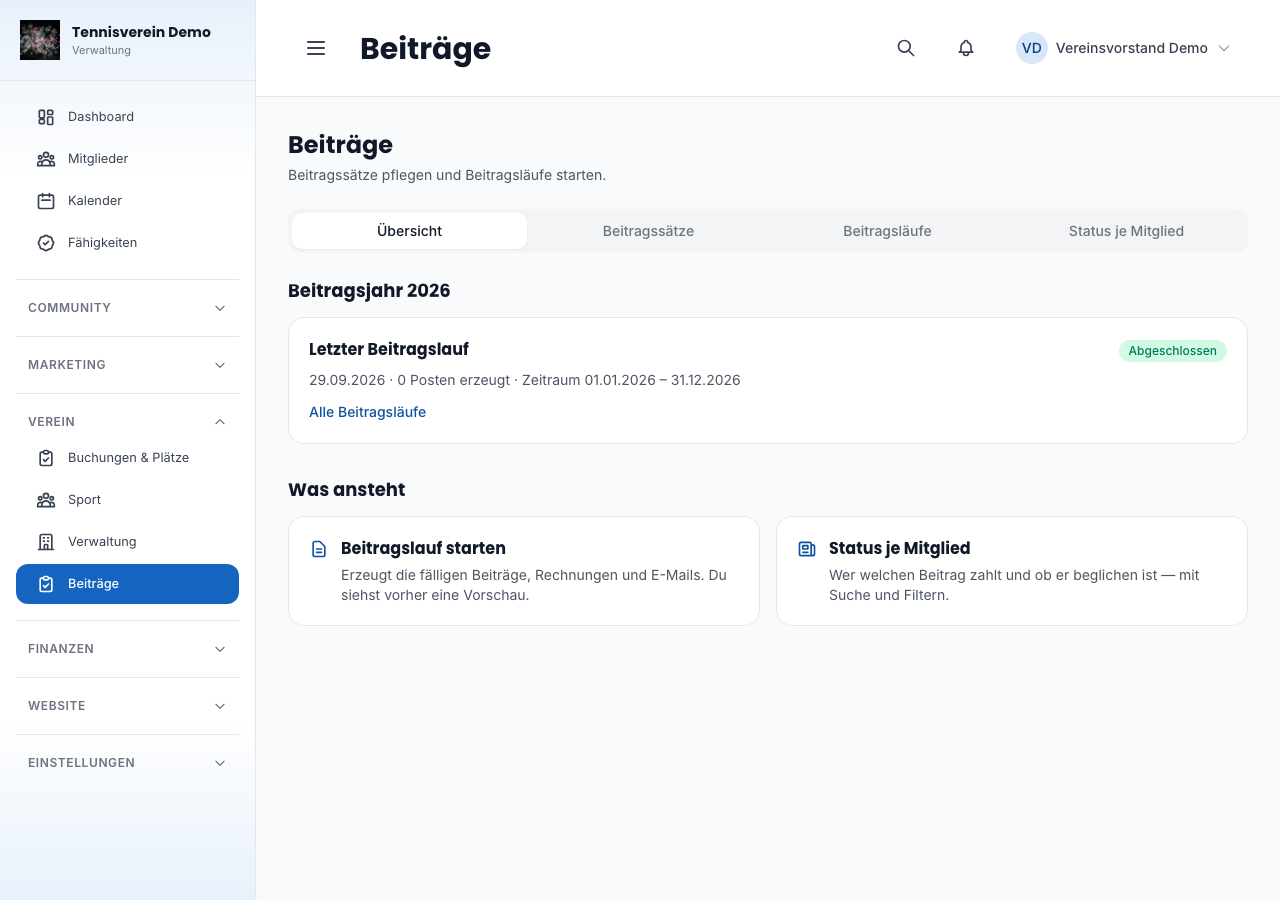
Above the page is a small tab bar — Übersicht (Overview), Beitragssätze (Fee rates), Beitragsläufe (Fee runs), Status je Mitglied — that lets you switch between the four areas without going via the tiles.
Fee rates
Under Beiträge › Beitragssätze you create the membership categories your fees are based on — previously this was in the settings under “Mitglieder & Team”; now it’s where the fee run starts too.
Each category gets a name, an amount, a billing cycle (monthly, quarterly, half-yearly, annually) and optionally an age range. A category without an age range is the standard fee: it applies to everyone no other range fits — there’s exactly one per club.
Two categories may not overlap — otherwise it wouldn’t be clear which of the two fees applies. Racqt rejects this when saving and tells you which category it clashes with.
Family fee
Many fee schedules have a family fee: one amount for the whole household instead of for each person individually. In Racqt this isn’t a discount but a separate category with a fixed amount — exactly the one in your fee schedule.
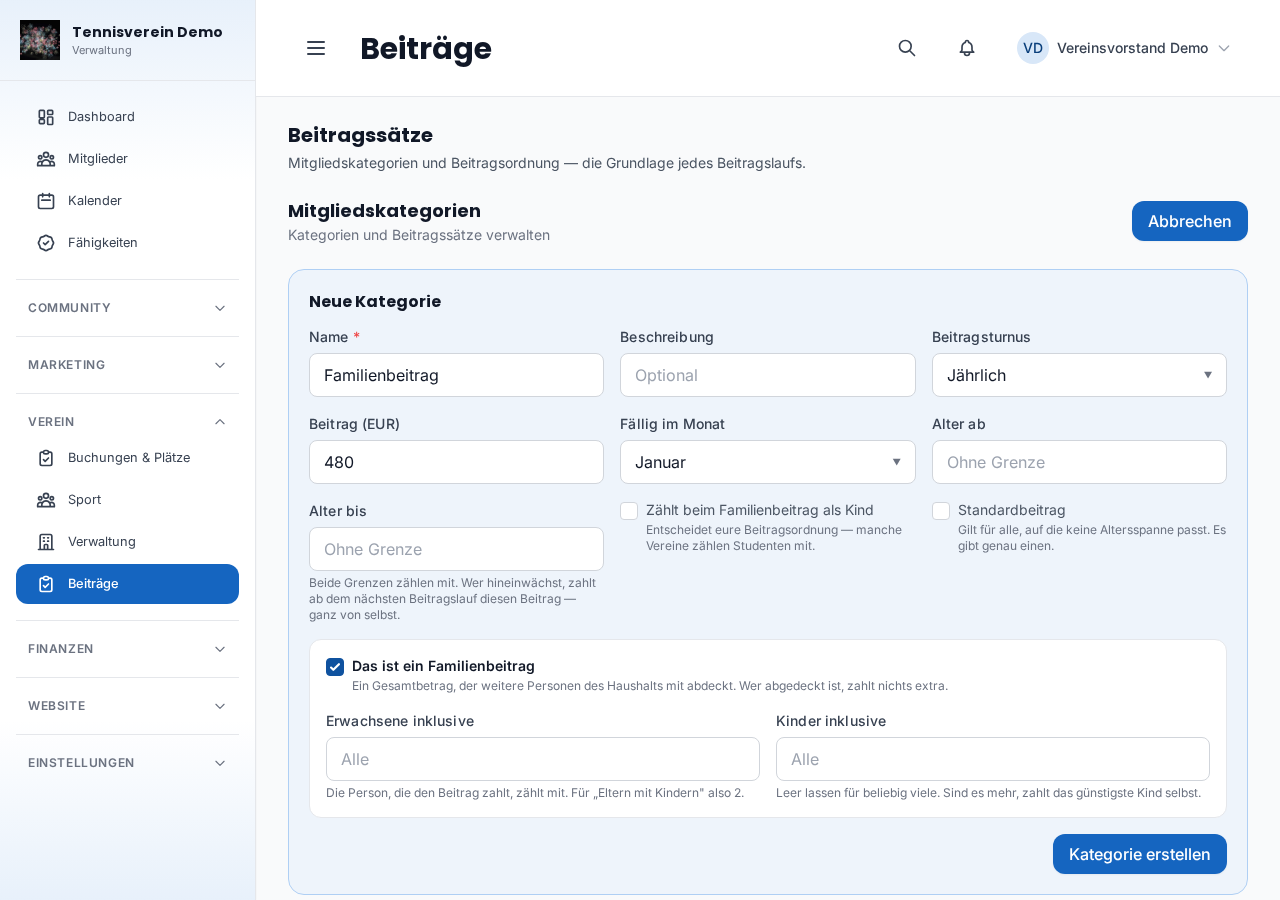
- Create a new category, enter name and amount (for example “Familienbeitrag” with €721)
- Tick Das ist ein Familienbeitrag (This is a family fee)
- Enter how many adults and children it covers — the paying person counts too. If you leave the field for children empty, any number are covered
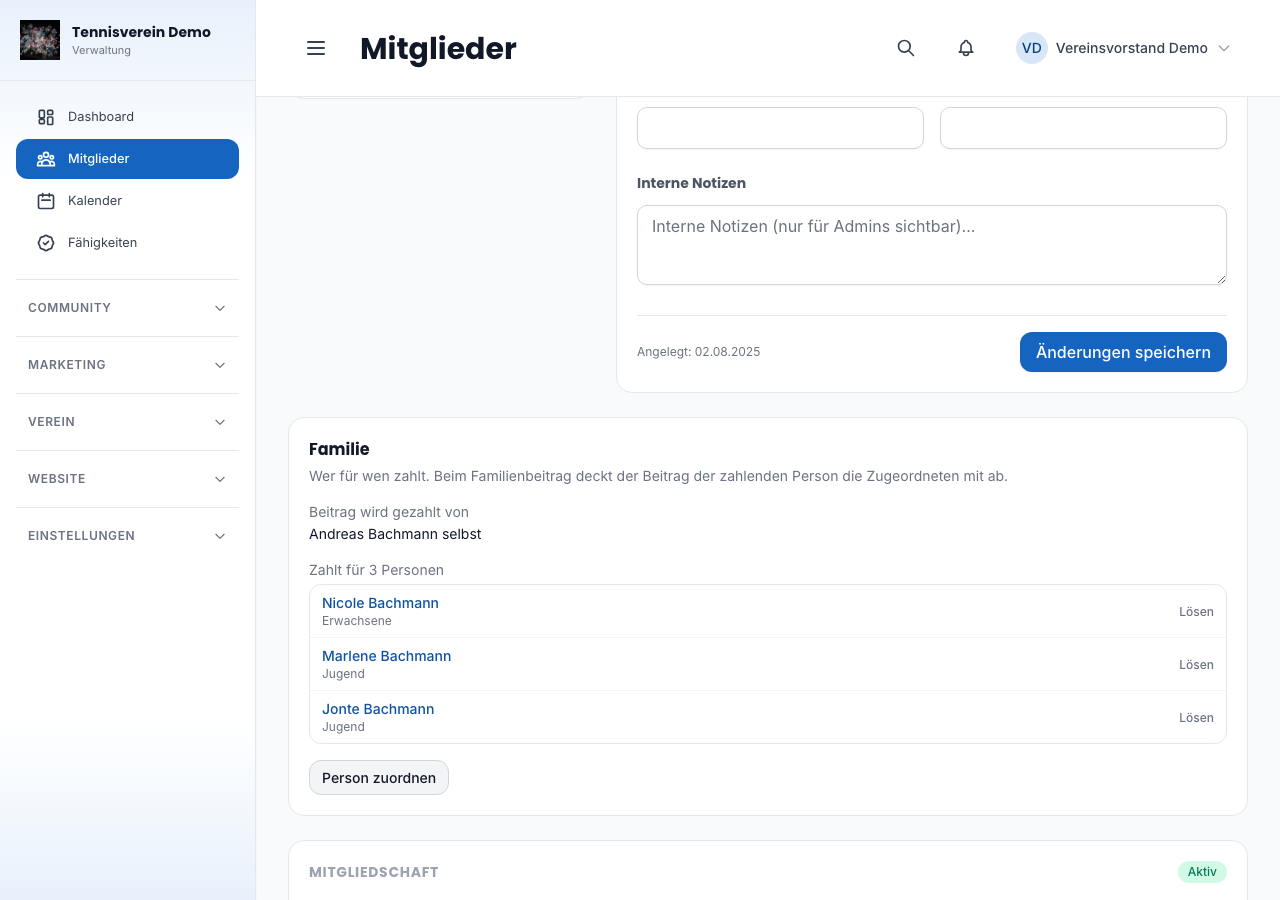
Then you assign the family: on the parent’s detail page you’ll find the Familie (Family) card. There you see both directions — who pays this person’s fee and whom they pay for — and assign children or the partner via Person zuordnen (Assign person). From the child it works the same way, via the Zahler (Payer) field.
Anyone covered pays nothing extra. They still stay visible in the fee preview: they appear indented below the paying person, with a note about which fee covers them. If the places aren’t enough — the fee covers two children, the family has three —, the cheapest child pays their own fee.
Anyone who should count as a child for the family fee gets the tick Zählt beim Familienbeitrag als Kind (Counts as a child for the family fee) on their own category. Your fee schedule decides this, not age — some clubs count students up to 28.
When something changes
The assignment largely maintains itself:
- A child gets older and fits into another age range? From the next fee run the new fee applies, all by itself
- The parent leaves? The child automatically falls back to the normal fee
- Changes apply from the next fee period — a fee already billed isn’t changed retrospectively
Fee schedule: child discount and pro-rata fees
Further down the same page you set two things that don’t depend on a single category but apply to the whole club:
- Several children of a family without a family fee — some clubs instead make the third child onwards free. You state from which child the discount applies and how big it is (100 % means free). Only children who actually pay are counted — anyone already covered by a family fee doesn’t count
- Joining and leaving during the year — anyone who joins in July doesn’t pay for the whole year; anyone who leaves in March doesn’t either. Your statutes decide how fees are reduced: gar nicht (not at all), nach angefangenen Monaten (by started months — the most common case) or taggenau (to the day — the most precise, but gives odd amounts)
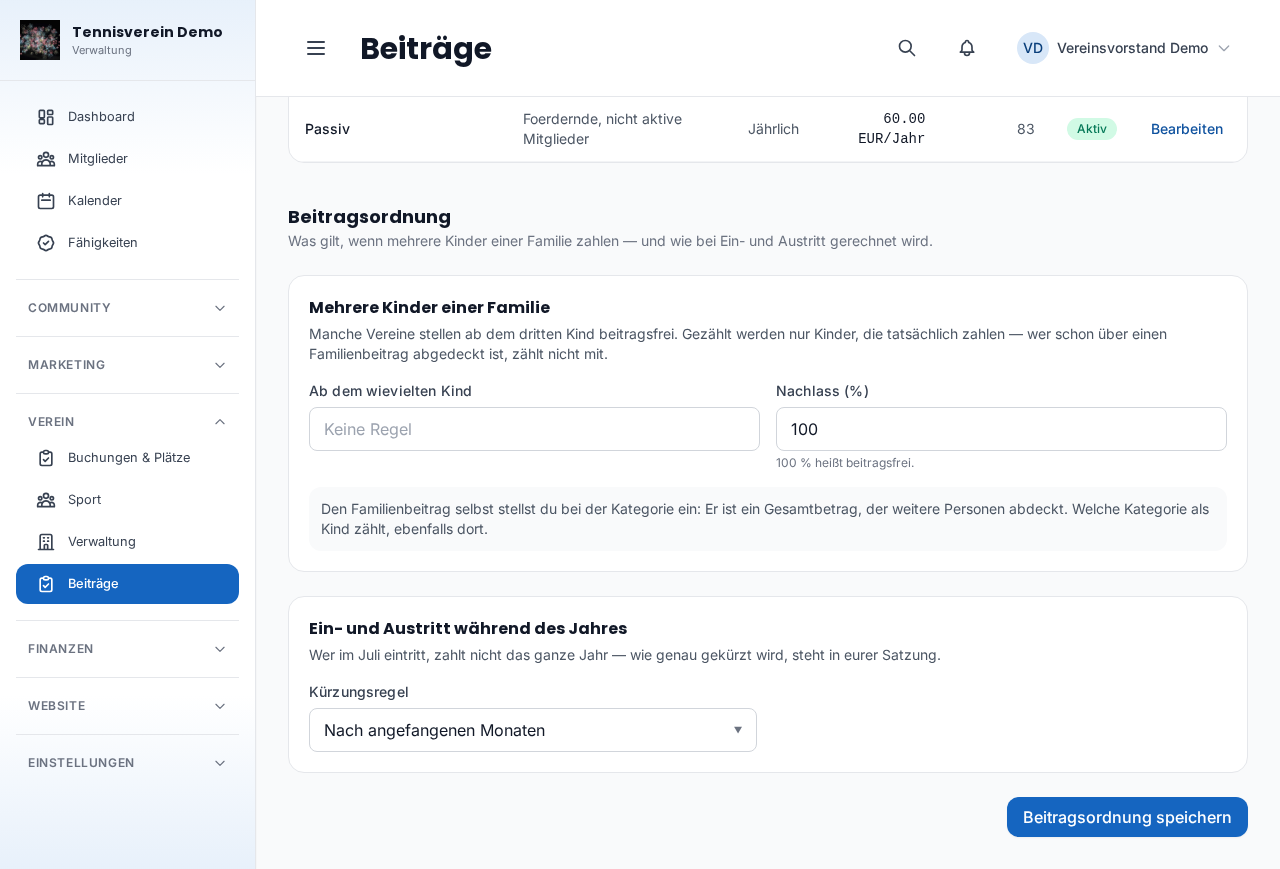
This section only appears if you also have access to the settings — technically, the fee schedule is stored there.
Important if you have ever saved this section: a display error meant that it never showed your actually stored values here, but always the defaults (no child discount, reduction by months). Anyone who opened and saved the page thereby unintentionally reset the club’s real fee schedule to these defaults. The error is now fixed — check once whether the child discount and reduction rule still match your actual decisions, and adjust them if necessary.
Fee runs
A fee run automatically creates fee charges for all members due in a period, generates PDF invoices and sends them by email. Under Beiträge › Beitragsläufe you see all previous runs with status, period and statistics (fees created, invoices generated, emails delivered, errors).
Because a fee run creates claims and invoices, it belongs to the money side: whoever has access to finances can start and view it. Whoever only maintains members sees fee rates and the status per member, but no fee runs.
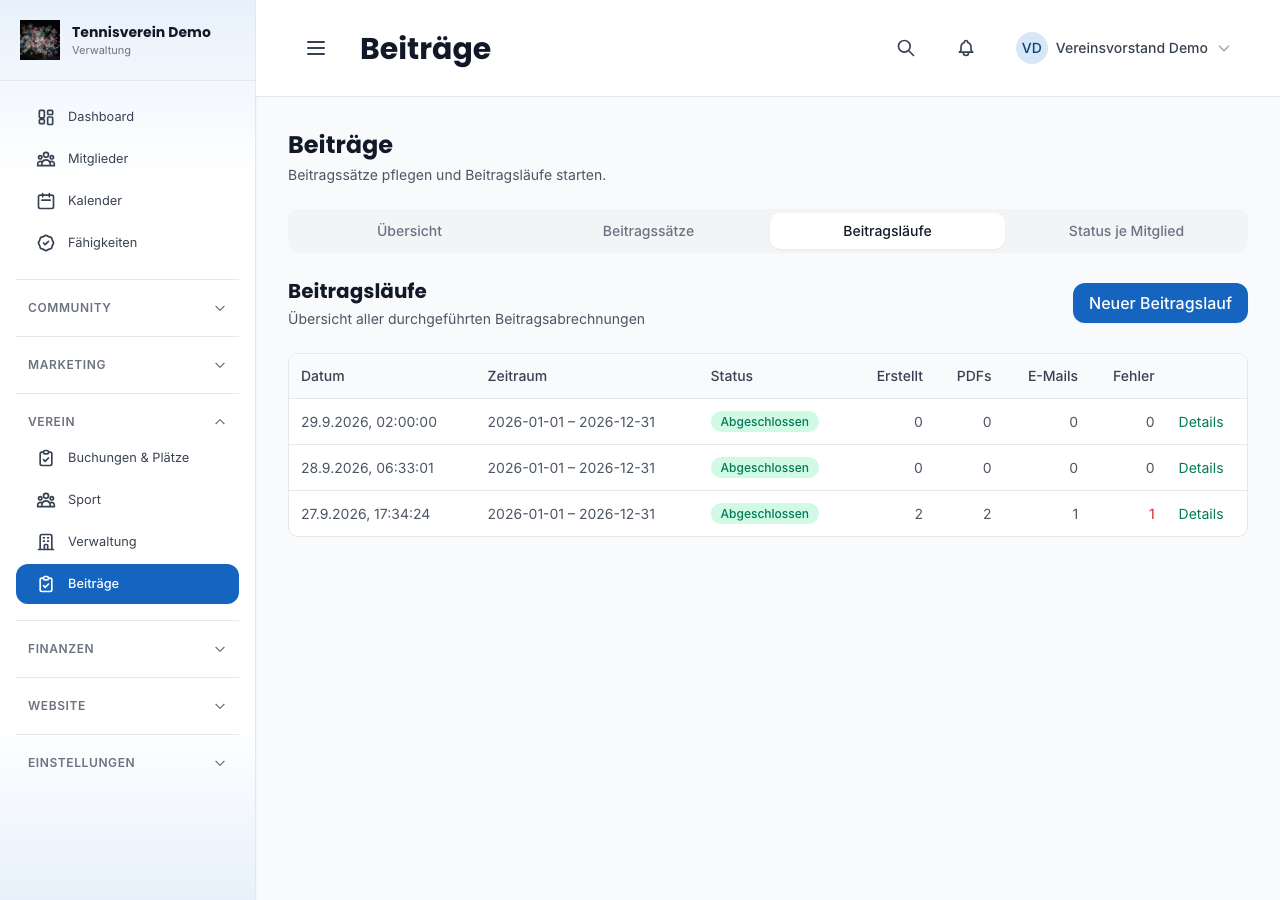
Click Neuer Beitragslauf (New fee run) to create a new run. Racqt first shows you a preview: whom it would affect, with which fee and period — nothing is created yet. Only when you then actually start the run are fees created, invoices generated and emails sent.
When an invoice counts as sent
After the start, the invoice emails go out gradually. Right afterwards, the emails therefore show “wird zugestellt” (being delivered) — the number grows with each email that arrives. An invoice only counts as sent once its email has been delivered; then the date appears in the “Mail” column. If a delivery doesn’t work first time, Racqt tries again by itself. An email only counts as an error once it has finally failed. As long as emails are pending, the run’s page updates itself — you don’t have to reload it.
In test mode, invoices go to your test addresses and are not marked as sent — no member gets mail, and the “Mail” column stays empty. Racqt points this out before the start and in the run’s overview.
Fee status per member
If you don’t want to see the individual invoice items but the members themselves, Status je Mitglied leads to a list of all members with their fee status: bezahlt (paid), ausstehend (pending), überfällig (overdue), befreit (exempt) or nicht abgerechnet (not billed) — that’s what members are called for whom no fee run has charged anything yet. You can filter by status, category and name.
The tiles at the top count all members matching the search and category, and together add up to the total. If you filter by a status, the tiles stay as they are — only the list below narrows down. The Beitrag (Fee) column shows the fee from the member’s category as it’s billed — for an annual fee, for example, “240,00 €/Jahr” (per year), for a monthly fee “20,00 €/Monat” (per month). If someone has an individual fee, it’s shown in the same cycle with “(manuell)” after it.
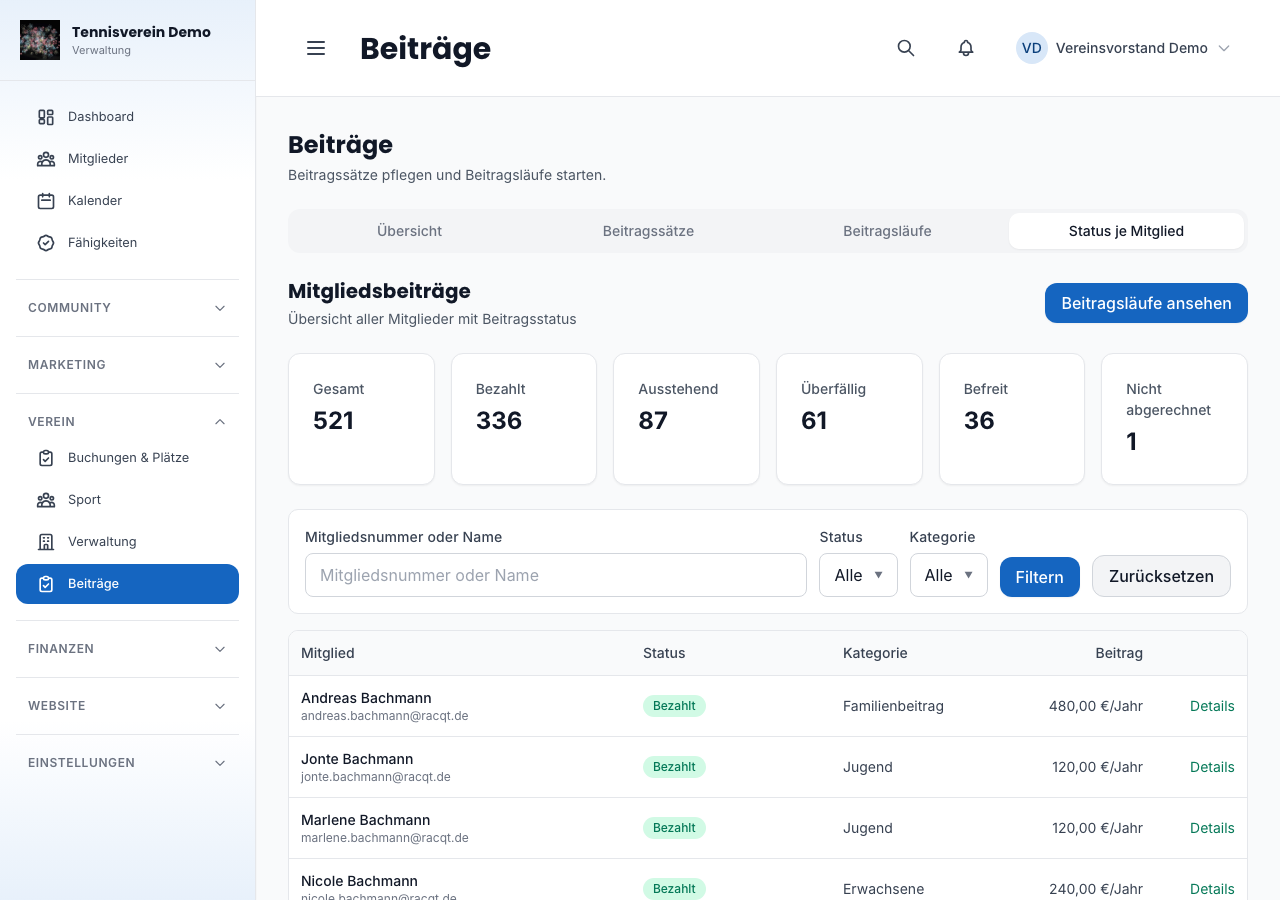
You can also change an individual member’s status directly in the member details or record an exemption there.
Related articles: Finances: open items, collection and reminders · Member management · Dashboard for clubs
In the changelog:1.6.0