 Racqt
RacqtWebiOSAndroid
Online sign-up for clubs
Interested people sign up directly on the club page, download documents and confirm them with one click.
On this page
Clubs can set up their own online membership sign-up. Interested people sign up directly on the club page, without going via email or phone. The committee sees incoming requests in the dashboard and confirms them with one click.
Turning on sign-up
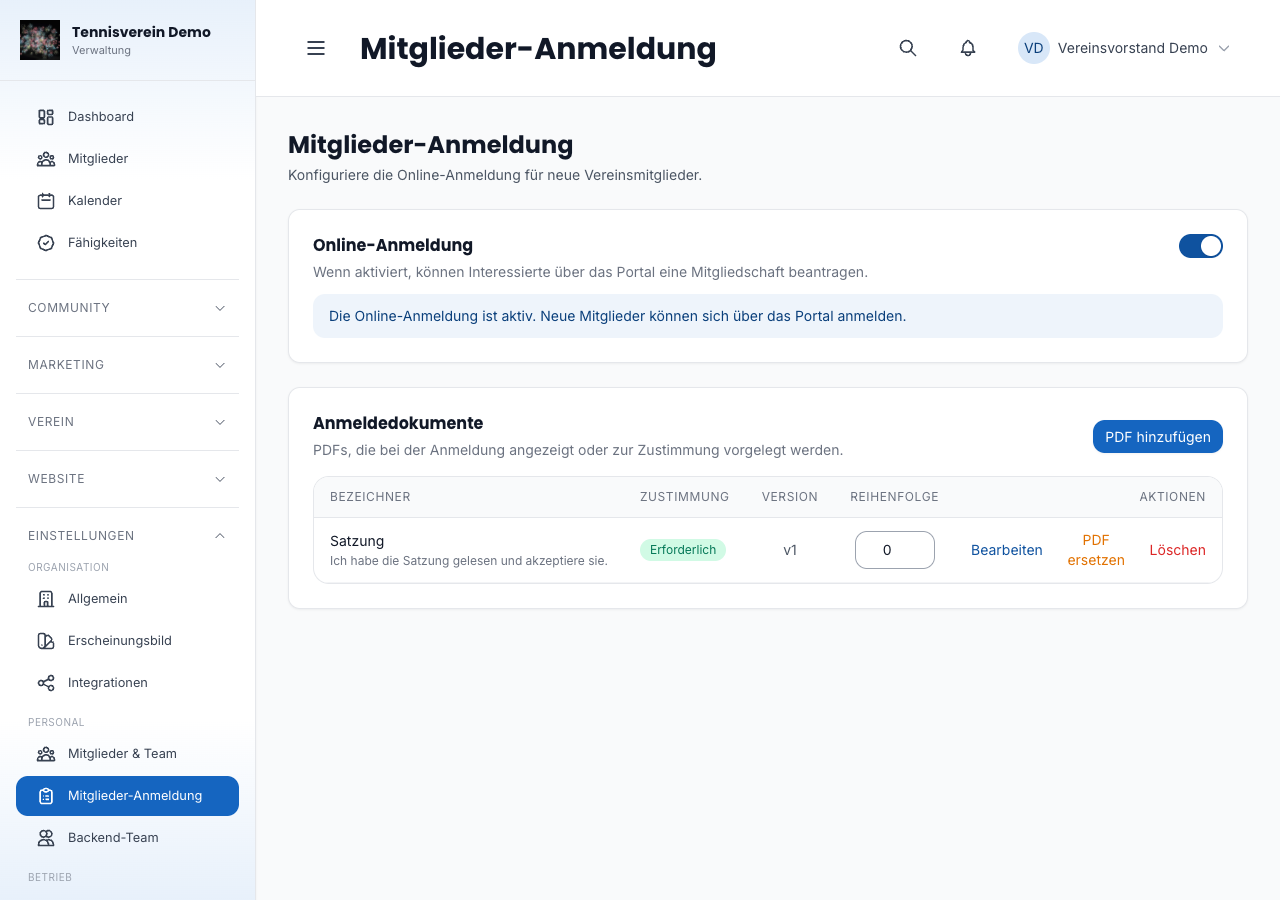
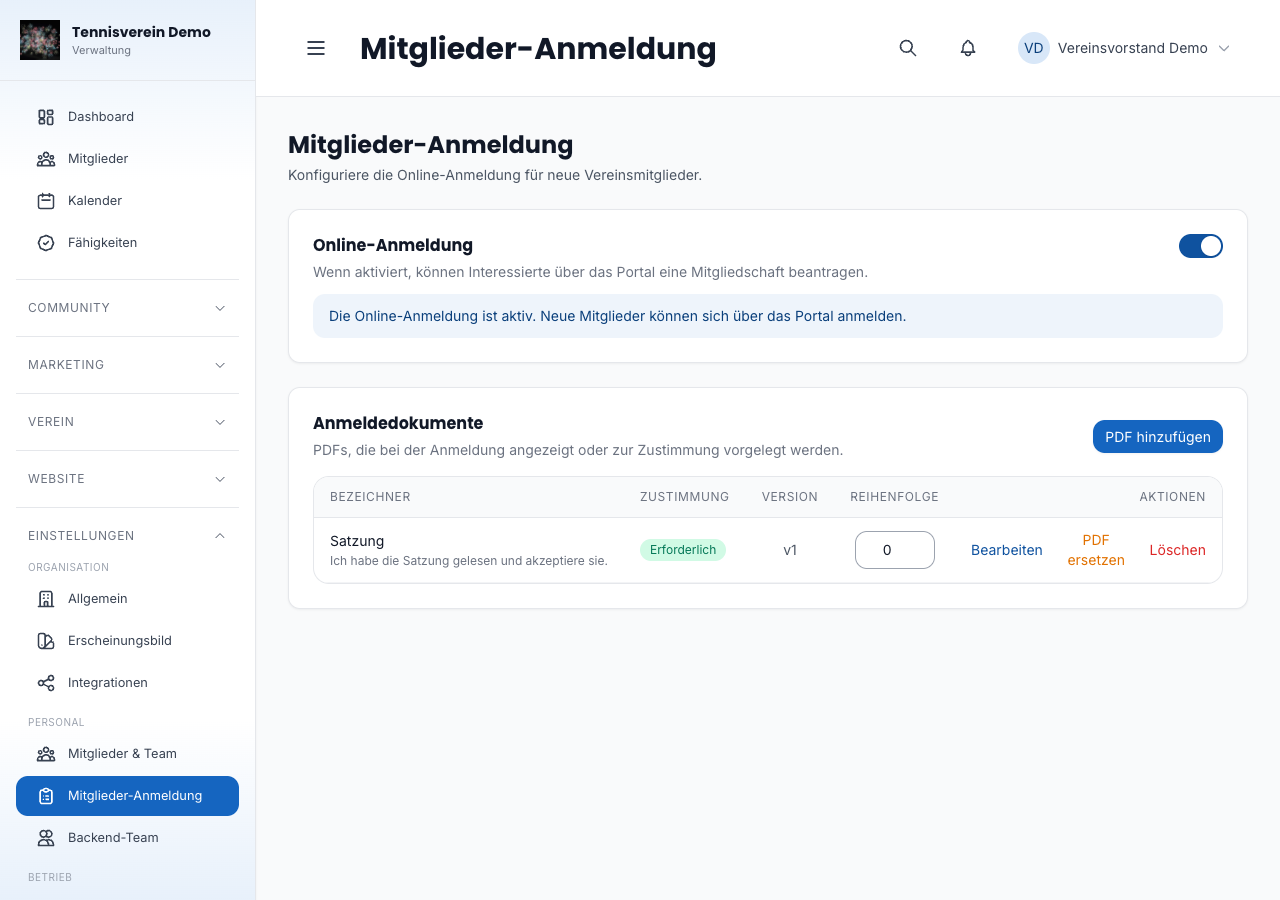
In the club settings under Einstellungen › Mitglieder-Anmeldung (Settings › Member sign-up) you open or close sign-up with a switch. As long as the switch is set to “Anmeldung geschlossen” (Sign-up closed), no sign-up form appears on the public club page.
Storing documents
Store documents such as the statutes or fee schedule as PDF files (max. 20 MB per file). For each document you can set:
- Bezeichner (label) — for example “Satzung” (statutes) or “Beitragsordnung” (fee schedule)
- Zustimmungspflicht (consent required) — if turned on, the member must explicitly confirm the document before the sign-up can be submitted
- Zustimmungstext (consent text) — optional explanatory text that appears next to the checkbox
Documents can be edited afterwards (label and consent requirement) or replaced with a new PDF file. Documents can also be deleted again via the menu.
How new members sign up
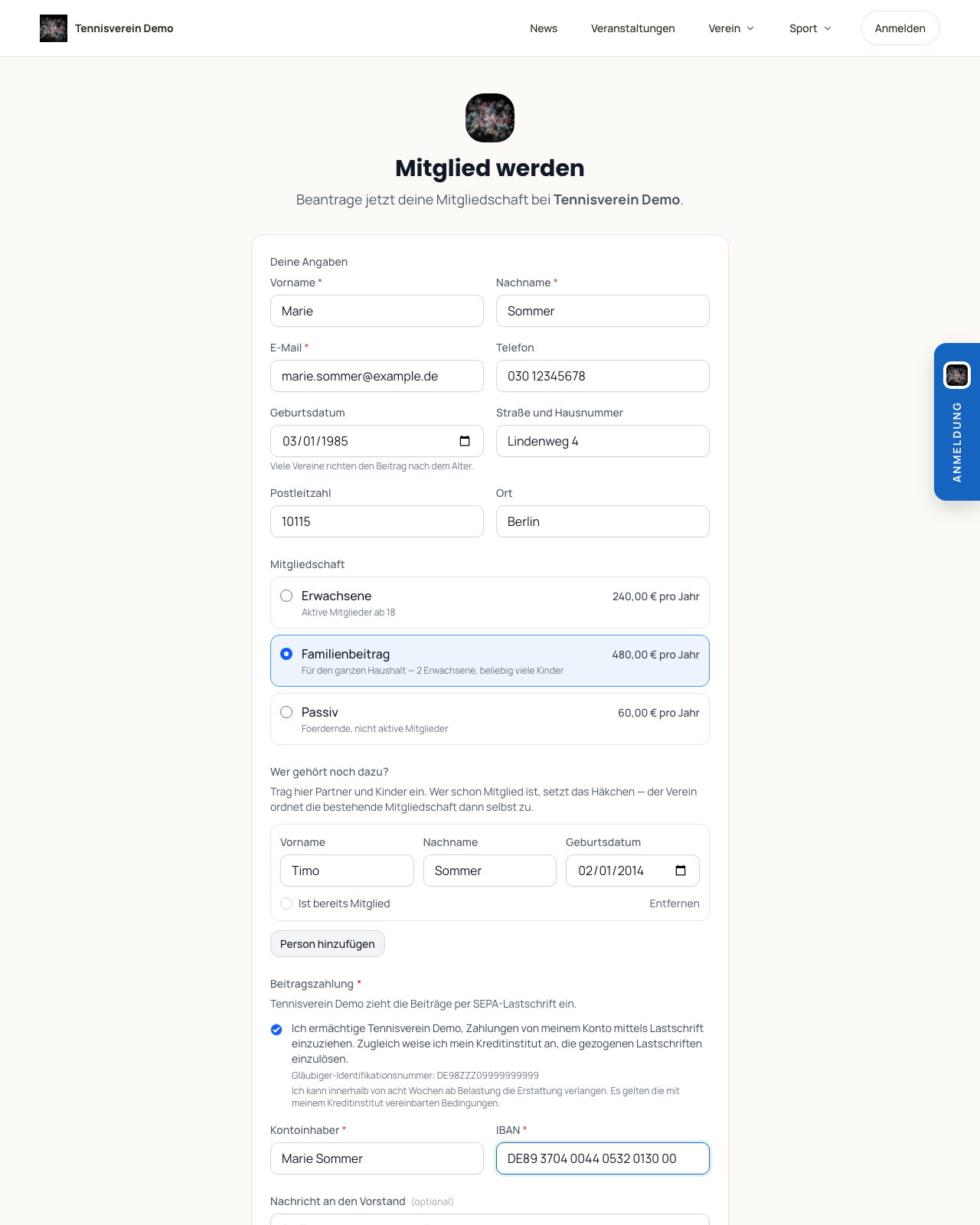
A form appears on the public club page: name, email, phone, date of birth and address, plus a field for a short message to the committee. If you’ve stored documents that require consent, each of them must be opened and confirmed with a tick — without complete confirmation the submit button stays disabled.
Nobody needs a Racqt account for this. Anyone who wants to join your club simply fills in the form. On confirmation it becomes a member without an account — with a membership number and member record like any other. You can send an invitation to an account later if the person wants to use the app; the number and record are kept.
If someone already has an account and is signed in, their request is linked to it automatically — the membership then appears directly in their app.
Anyone who joins with their account via the app or in the portal under Vereine (Clubs) confirms the same documents requiring consent before the request reaches you. More on this under Finding a club’s members.
After submitting, the person sees: “Danke, wir haben deine Anmeldung erhalten. Du bekommst eine E-Mail.” (Thanks, we’ve received your sign-up. You’ll get an email.) The email contains everything else.
This reply is always the same — even if there’s already a membership under that address or the sign-up was submitted twice. Otherwise the form could be used to find out who is a member of your club. So only whoever reads the email learns whether the address is already known: if the person is already a member, it says that no second sign-up is needed; a duplicate sign-up doesn’t create a second request.
If your club is deactivated, the form no longer accepts sign-ups, and your public pages can no longer be reached.
The fee depends on age
In the form, Racqt only shows the fees whose age range matches the date of birth entered — a thirty-year-old doesn’t even get the junior fee to choose from. You set the age ranges for the categories, as described under Fees.
The family fee is always available: it depends on the household, not on the age of the person signing up.
SEPA direct debit mandate
The mandate appears in the form as soon as you’ve stored your creditor identifier under Einstellungen › Zahlungen › SEPA (Settings › Payments › SEPA). Without it, the mandate text lacks its legal basis — the field then stays hidden.
If your club only admits members with direct debit, turn on Lastschriftmandat verpflichtend (Direct debit mandate required), directly below the switch for online sign-up. Without an IBAN the submit button then stays locked. As long as no creditor identifier is stored, the switch can’t be turned on — an obligation nobody can fulfil would be worse than none.
The bank details are stored encrypted with the sign-up. The mandate is only created when you confirm it; if you decline, they’re deleted.
Family membership
Anyone who chooses a family fee adds partners and children straight away. On confirmation, Racqt creates them as members, links them to the person signing up as payer and assigns their fee according to their age — so the family fee applies without any further action.
If someone from the household is already a member, the person ticks a box for this. Racqt deliberately doesn’t link them itself: whoever fills in the form isn’t signed in and may not search your membership. After confirming, you therefore get a note about whom you still need to link by hand — via the Familie (Family) card on the member page.
Handling membership requests
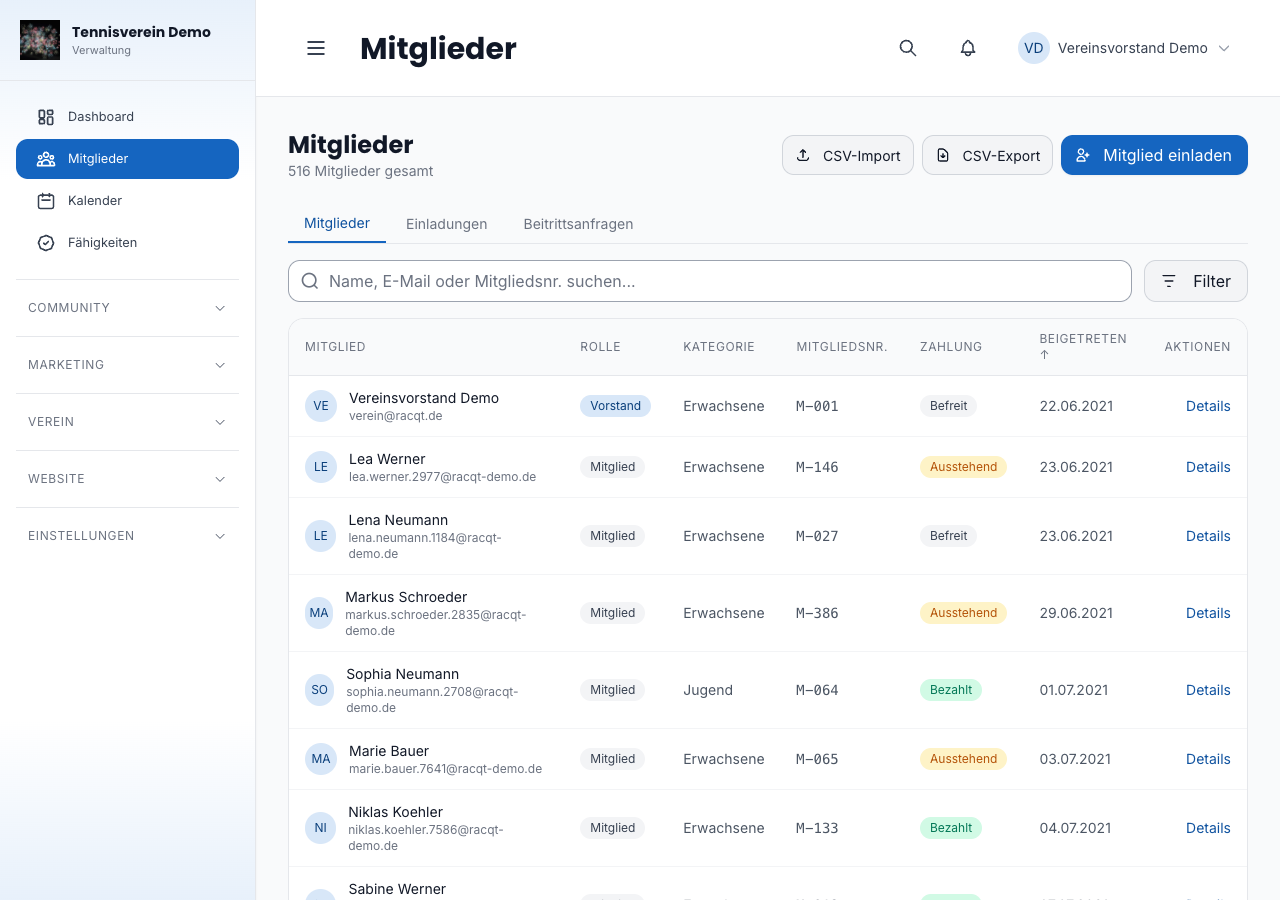
Incoming sign-ups appear in the dashboard under Mitglieder › Beitrittsanfragen (Members › Membership requests). You see everything the person entered: name, contact, date of birth and town, the chosen fee, whether they granted a direct debit mandate (with the last four digits of the IBAN) and whom they listed as household. With one click you confirm or decline the request. After accepting you stay on the request: Racqt confirms the admission, links the new member record and tells you who from the household is already a member — you link these people yourself via the Familie card. The direct debit mandate is then in the member record.
Clicking the name opens the detail view: address and contact, the chosen fee, the household with dates of birth, the direct debit mandate (with the last four digits of the IBAN — Racqt never shows the full one) and the confirmed documents with version and date. That’s where you decide, too.
On confirmation the member record is created, the mandate is granted, and the children listed are created as members. If “ist bereits Mitglied” (is already a member) was ticked for someone, you get a note — you make that link yourself.
Finding members (app)
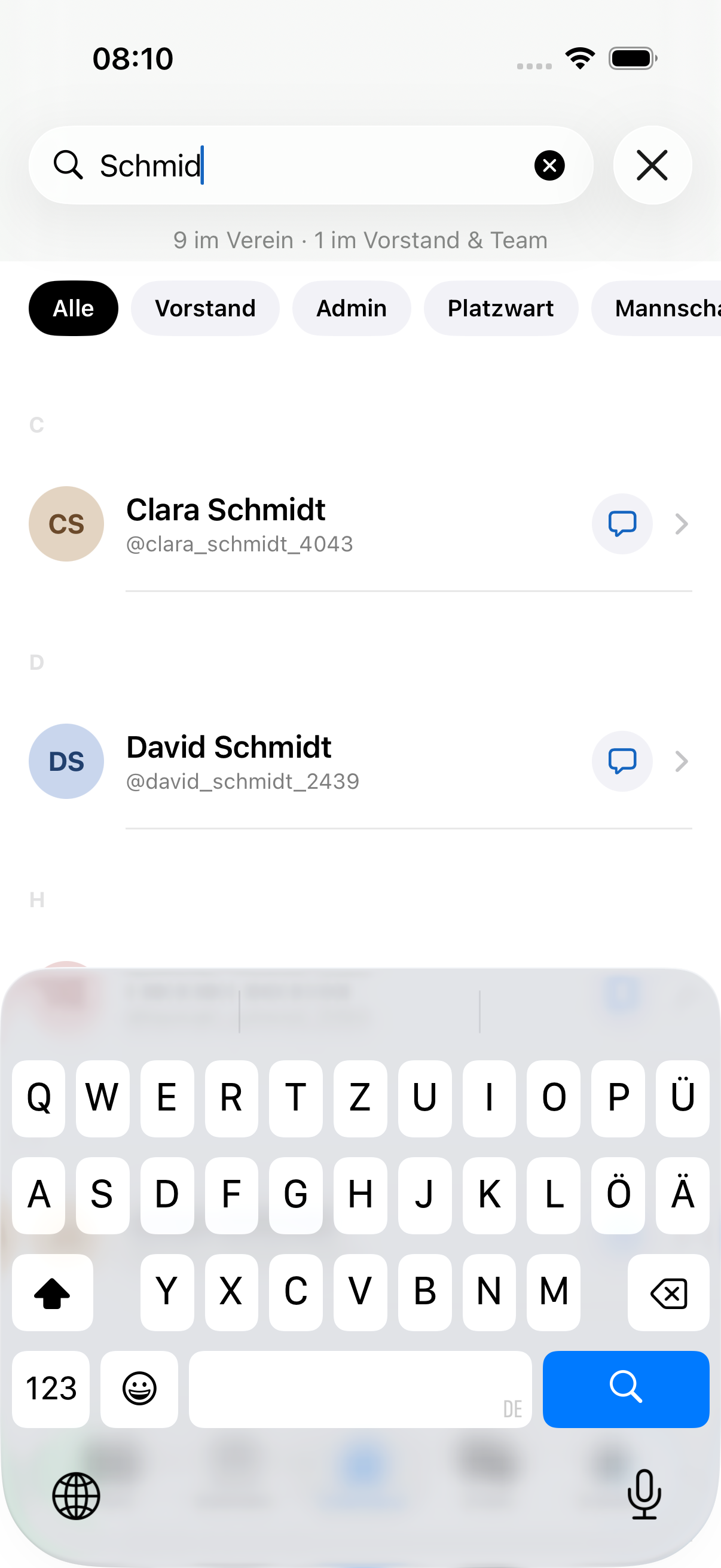
In the iOS and Android apps you can search the member list by name. The list loads more automatically as you scroll.
Related articles: Member management · Dashboard for clubs