 Racqt
RacqtWeb
Managing courts & bookings
Create tennis courts, set blocks and rate rules, and keep track of all bookings, recurring bookings and statistics.
On this page
The booking module is the heart of the club dashboard. Here you maintain court master data, control blocks and prices and have all bookings — single and recurring — in one view.
Booking calendar
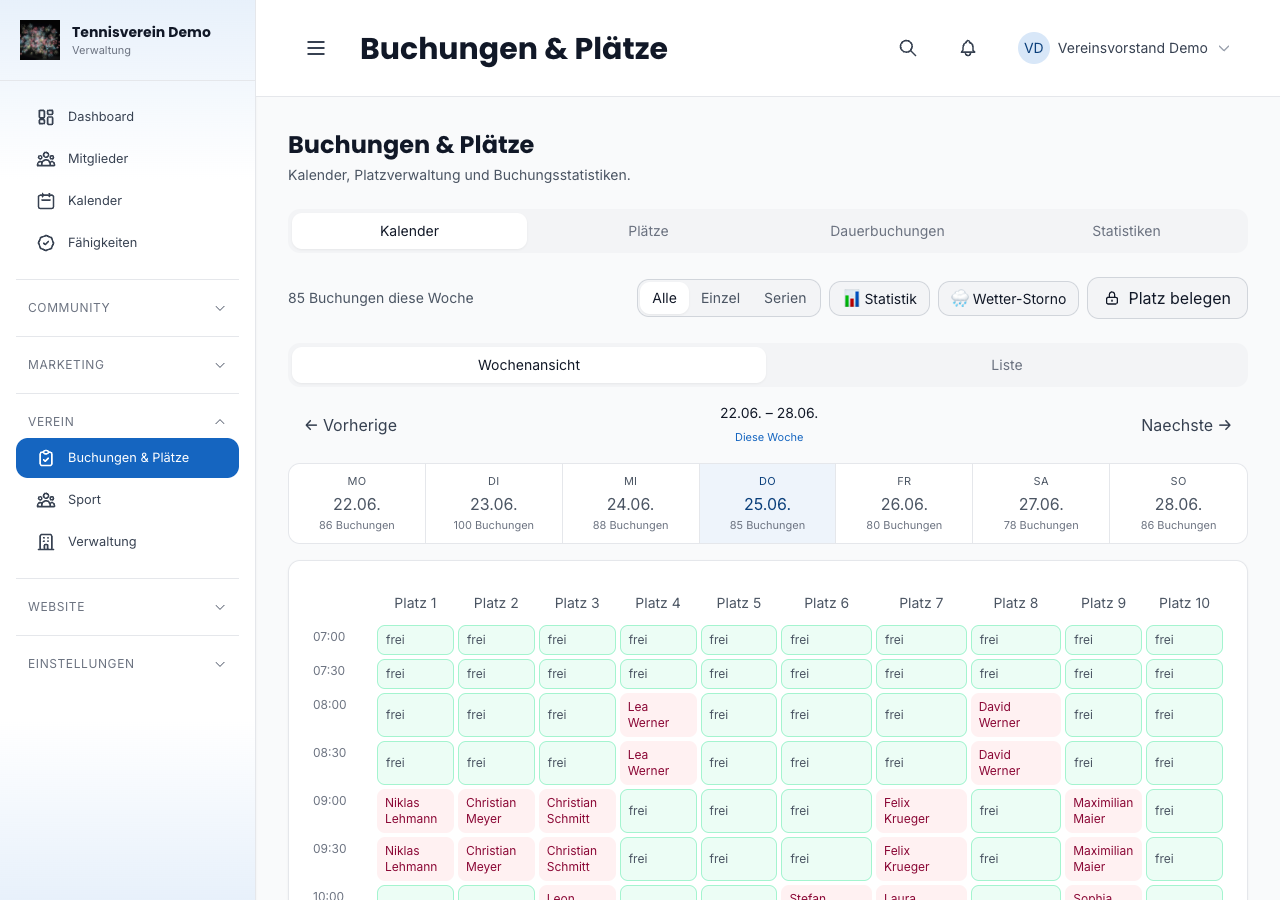
Under Dashboard › Buchungen (Bookings) you see all the club’s courts in a calendar view. Switch between calendar and list view. In the calendar you navigate day by day and see at a glance which slots are taken, free or blocked. Clicking a free slot opens the booking form; clicking an existing booking shows its details.
Creating and editing courts
Under Dashboard › Plätze (Courts, /app/courts) you manage each court’s master data: name, type (outdoor or indoor) and other properties. Open a court by clicking it to save changes.
Court blocks
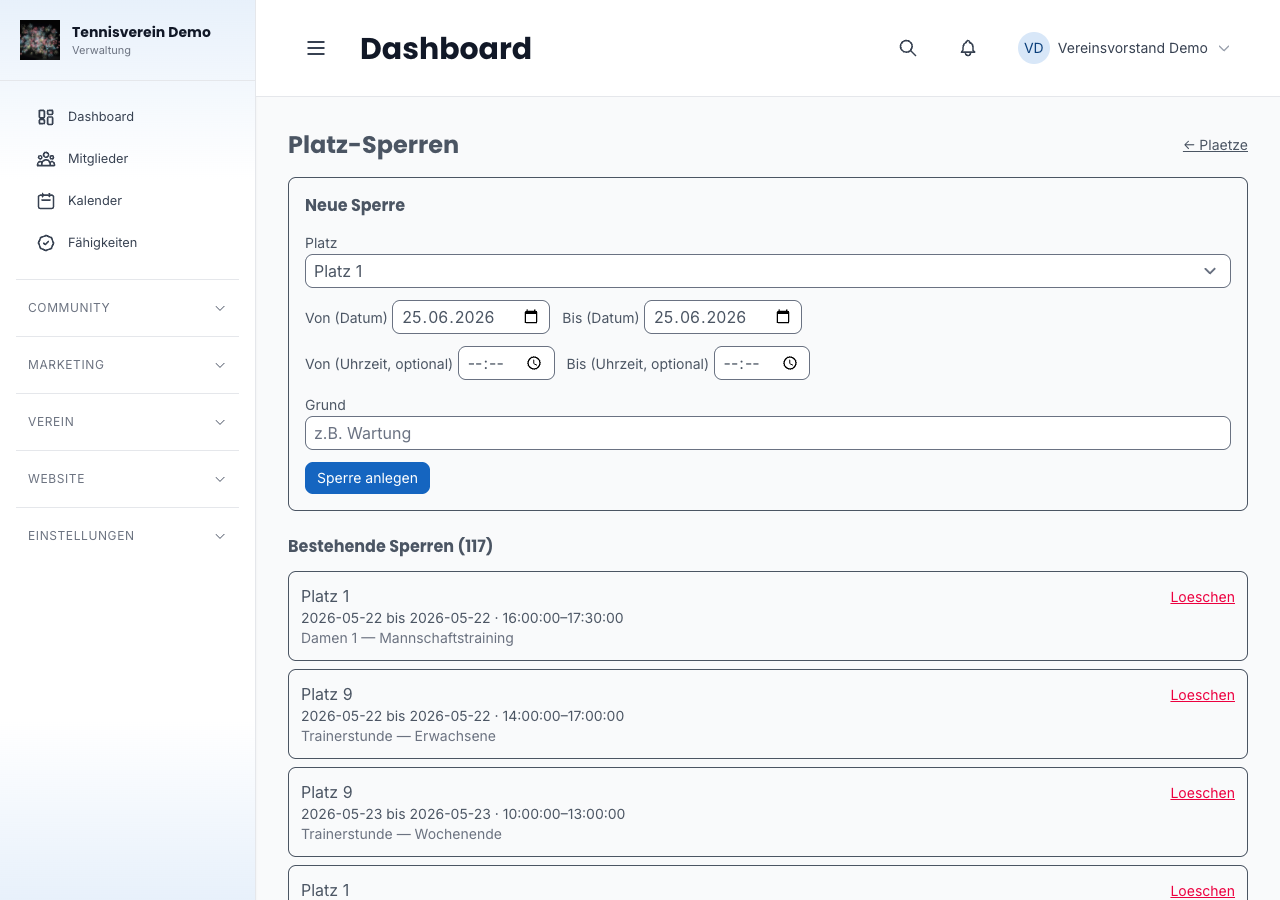
Under Dashboard › Plätze › Sperren (Courts › Blocks, /app/courts/blocks) you create time-based blocks — for tournament days or court maintenance, for example. Enter a period (from/to), optionally a time and a reason. Existing blocks can be deleted individually.
Rate rules
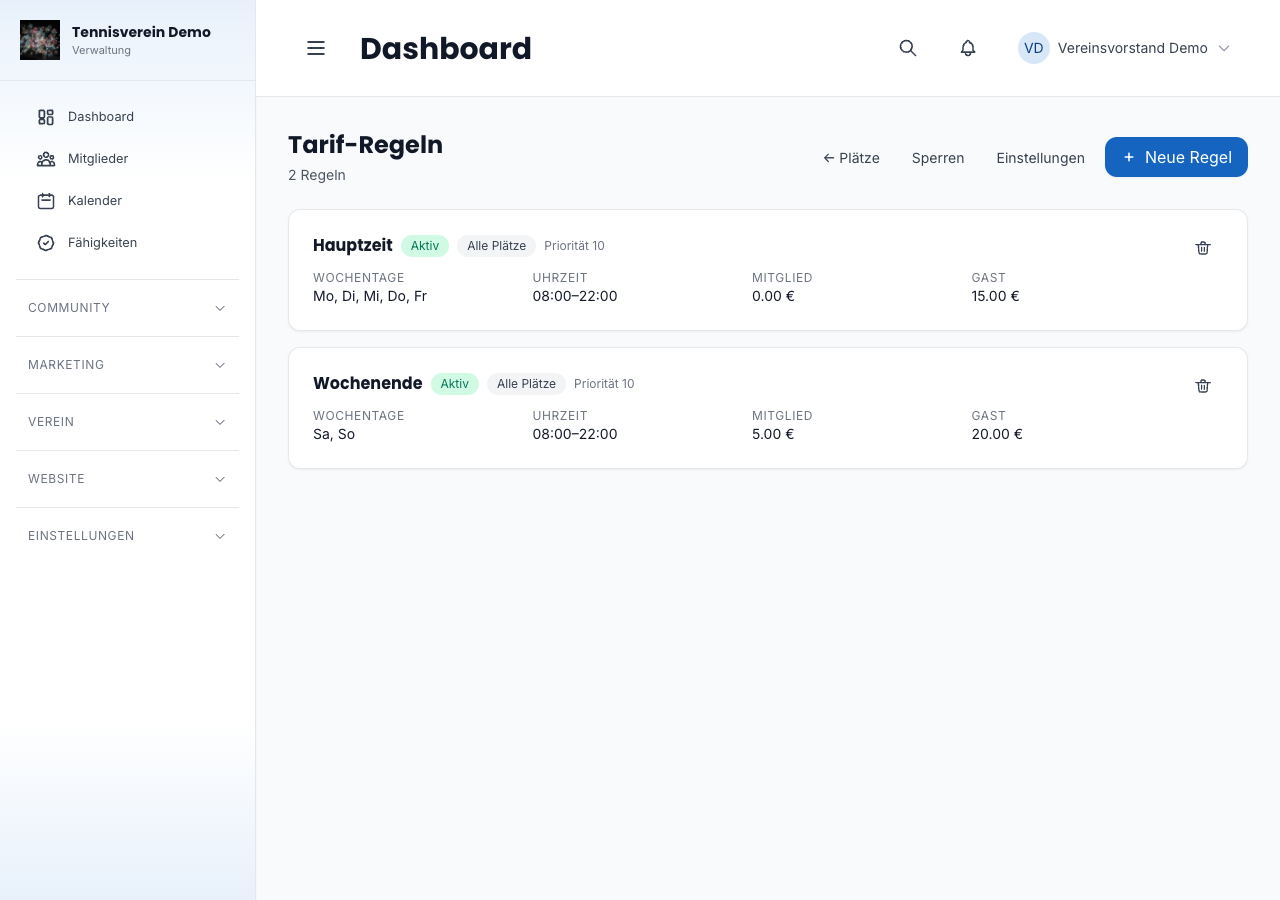
Under Dashboard › Plätze › Tarif-Regeln (Courts › Rate rules, /app/courts/rules) you define hourly prices that can be graded by weekday, time and court type (outdoor/indoor). That way you can store cheaper member rates and more expensive guest rates, for example.
Recurring bookings
Under Dashboard › Buchungen › Dauerbuchungen (Bookings › Recurring bookings, /app/bookings/recurring) you manage weekly recurring bookings — fixed training times for teams, for example. Filter by weekday, create new recurring bookings with court, time and validity period, and deactivate them when needed. When creating one, you choose which team the booking is for — the selection contains all teams created in the club dashboard.
Every date of a recurring booking is fixed in the booking calendar — visible to everyone, and the court is reliably taken at that time. If you cancel a recurring booking, all upcoming dates disappear from the calendar immediately and the courts can be booked again.
Reminders to members
Before every court booking, Racqt automatically sends two email reminders: one the day before and one about two hours before. From the reminder the day before, members can release their court with one click without signing in — released courts are available to everyone again immediately. You don’t have to set anything up for this.
Weather cancellation
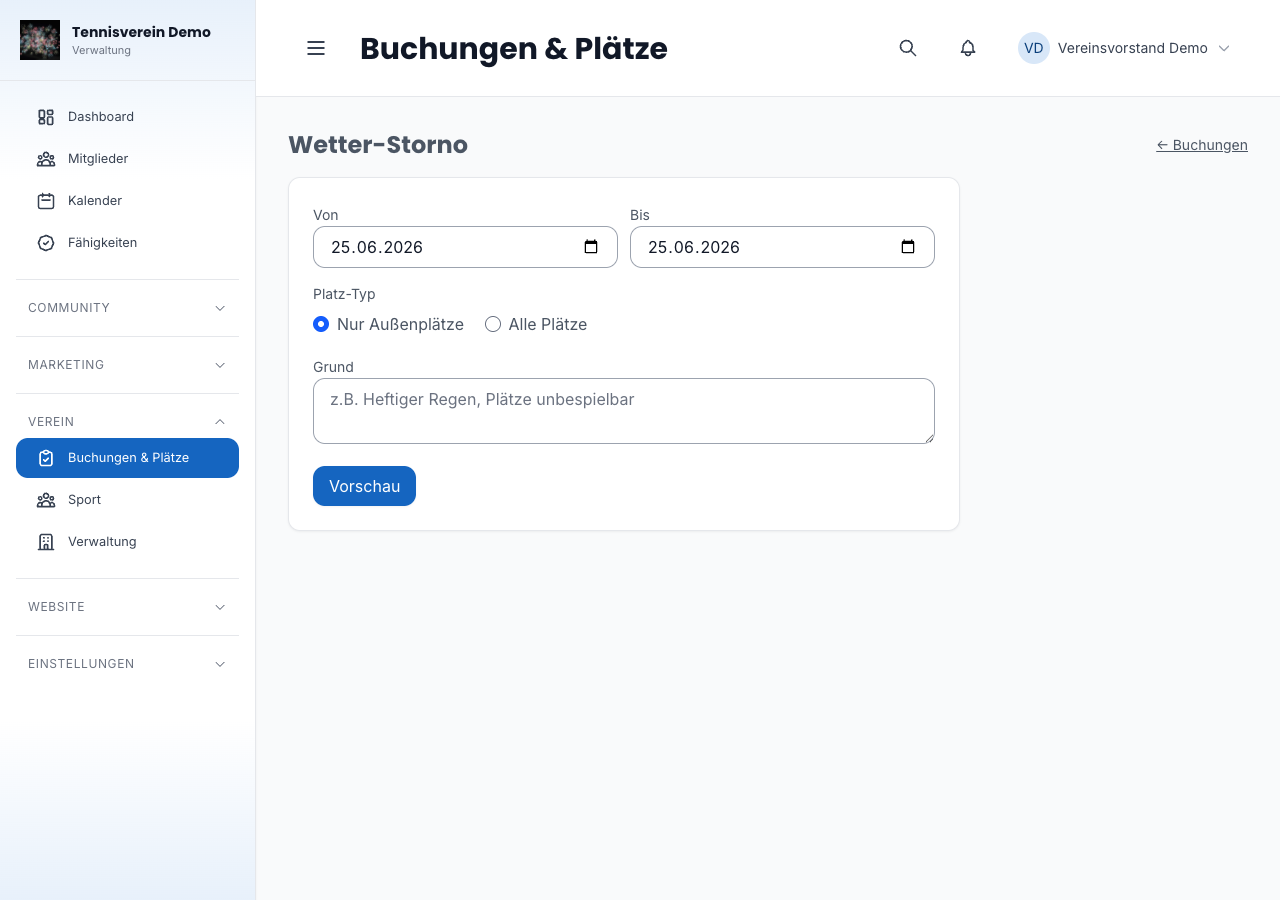
When cancellations are needed because of the weather, the function under Dashboard › Buchungen › Wetter-Storno (Bookings › Weather cancellation, /app/bookings/weather-cancel) helps. Enter a period and first view a preview of the affected bookings before you confirm the bulk cancellation.
Statistics and analytics
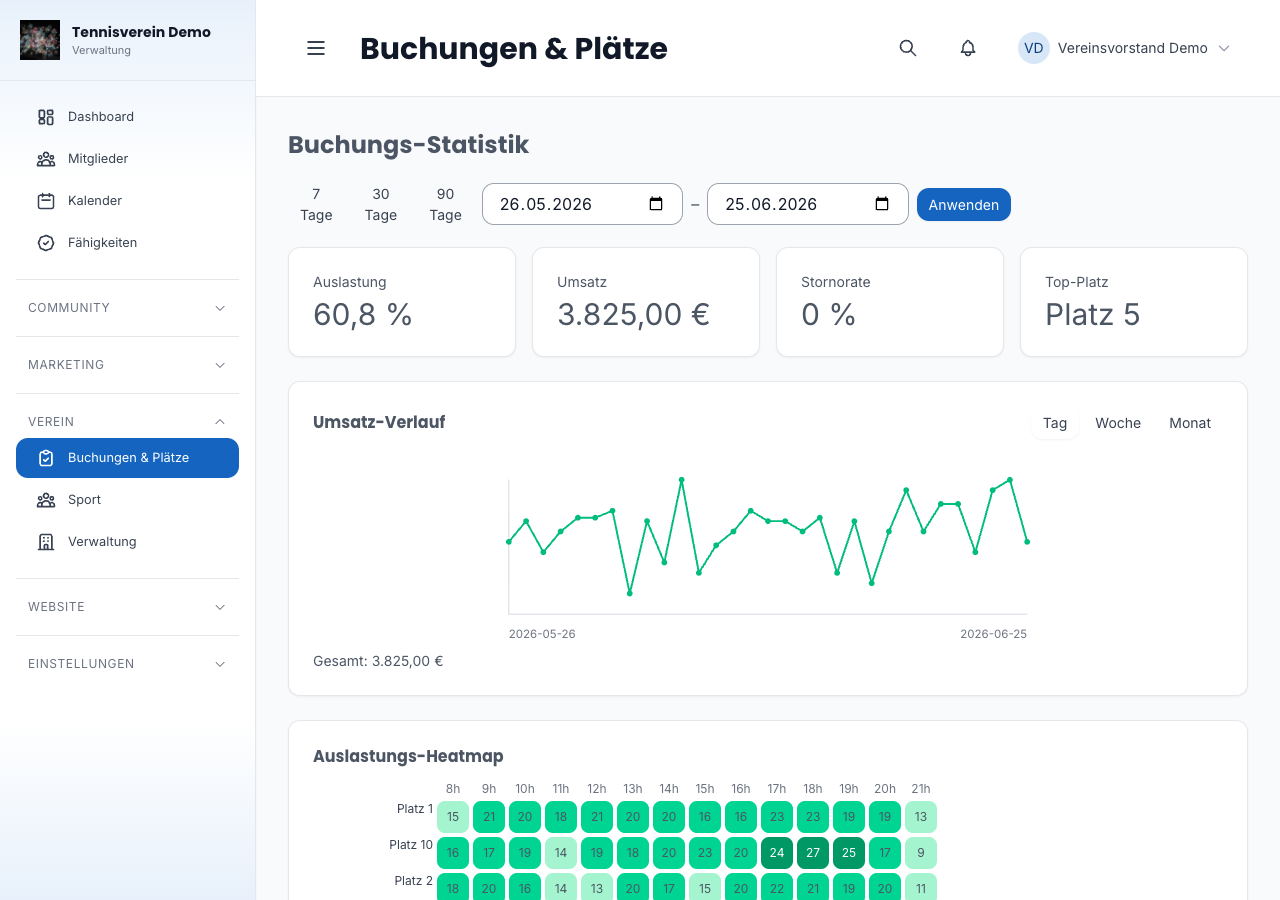
Under Buchungen › Statistik (Bookings › Statistics, /app/bookings/stats) you see key figures such as bookings today, this week and this month as well as monthly revenue. Choose your own period and granularity (day, week, month). Under Buchungen › Analytics (/app/bookings/analytics) you’ll also find a heat map of the most popular booking times and overall utilisation.
Booking settings
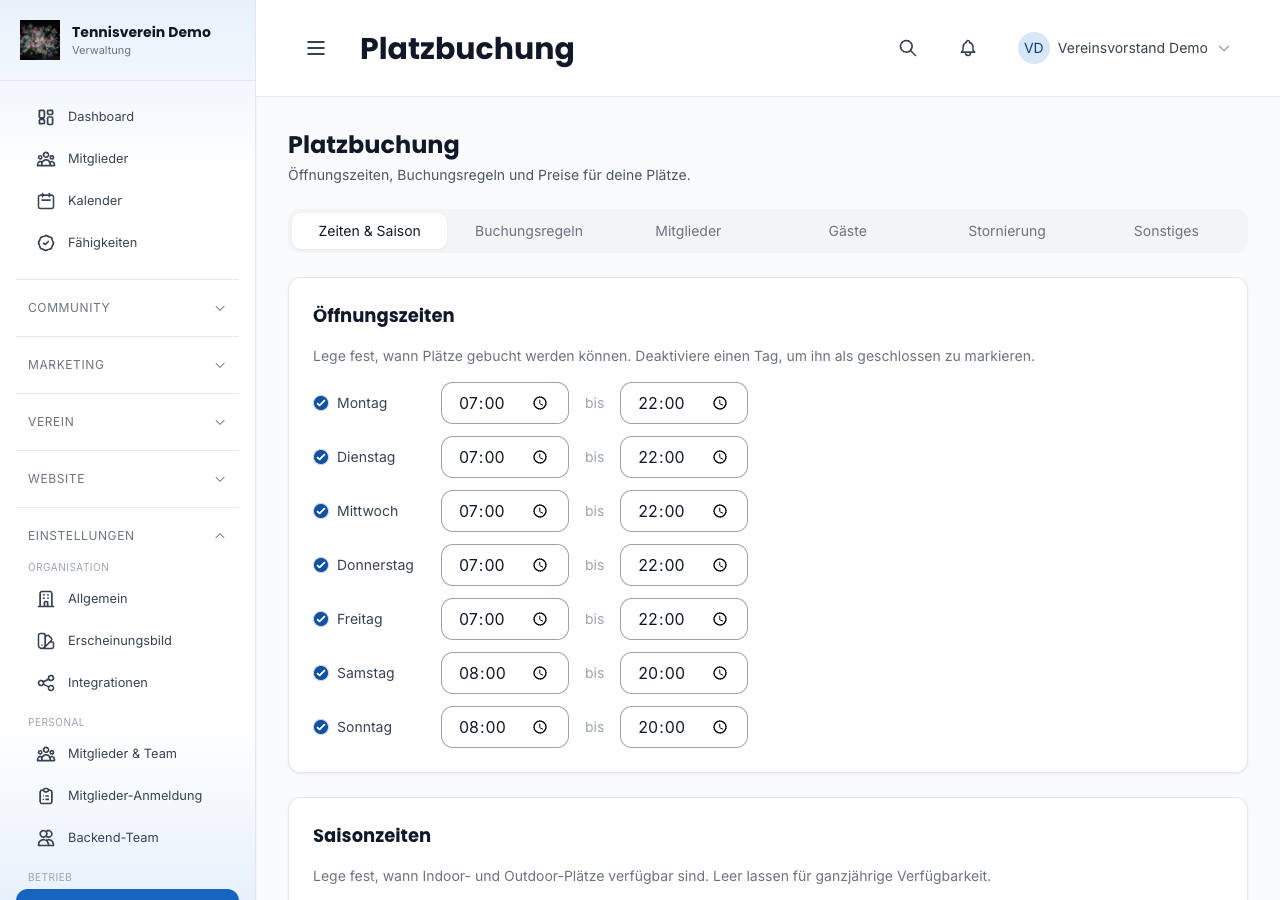
Under Einstellungen › Platzbuchung (Settings › Court booking, /app/settings/bookings) you configure the basic framework: opening hours per weekday, season period, booking rules for members and guests, cancellation deadlines and payment options. You reach the settings for price levels via the Preise (Prices) sub-item.
Related articles: Events · Settings & branding
In the changelog:1.5.1